


How to play Word Nest
Updated 4 min read
Quick answer
To play Word Nest, swipe across the letters in the round nest to spell a word, then let go. If the word belongs in the crossword above, its letters drop into the squares. Find every crossword word to finish the level. Extra real words are bonus words: five of them fill Violet's lantern and give you a free hint.
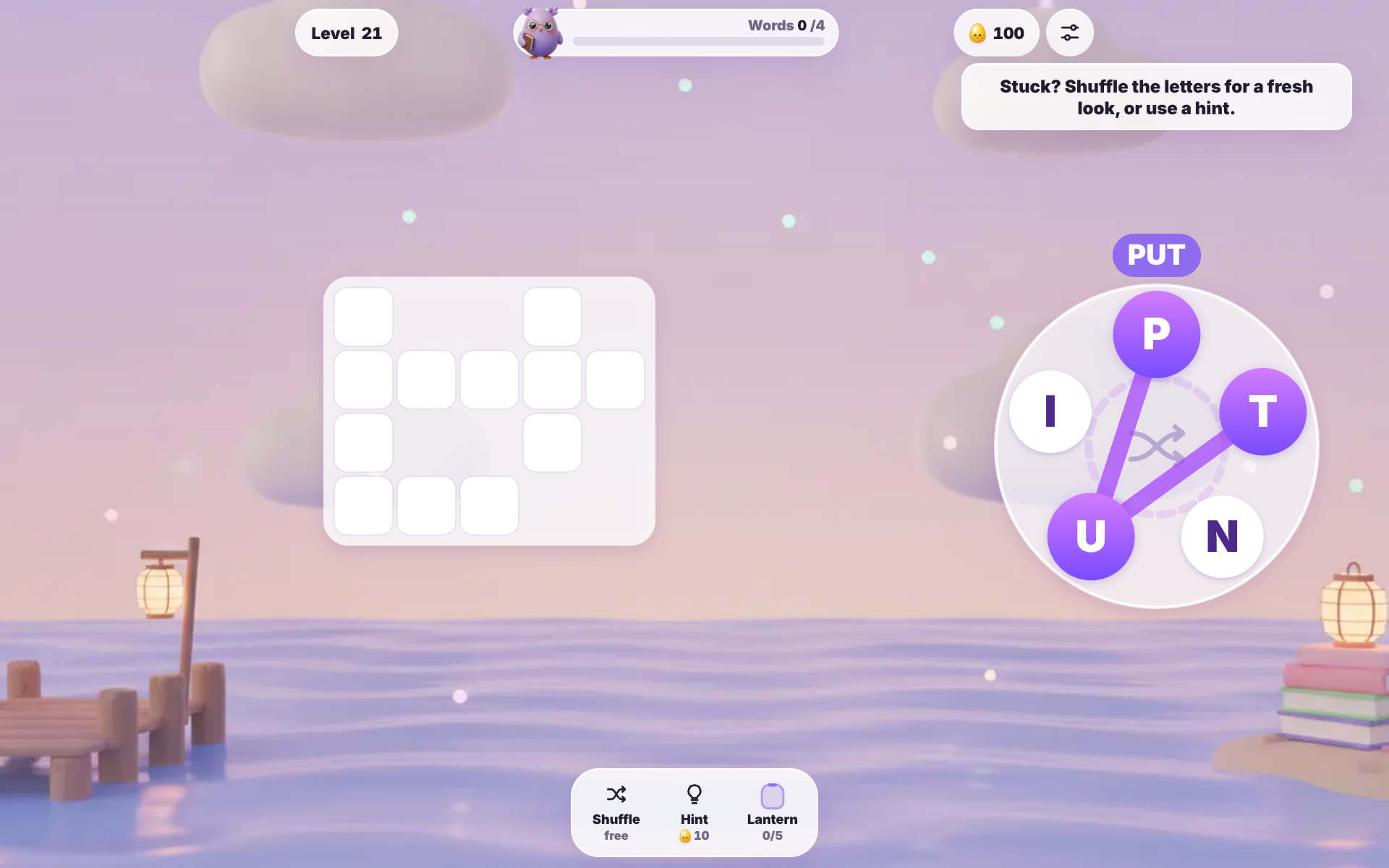
Word Nest is the word puzzle on OvO.games, out on October 24, 2026. You spell words from a small ring of letters and fill a cosy crossword, with Violet, the bookish night-owl OvO, keeping you company. It plays free in the browser on a phone or a computer, and there is no timer.
On this page
What is the goal in Word Nest?
Each level gives you a nest of three to seven letters and a small crossword with two to nine empty words. Every crossword word can be spelled with the letters in the nest, each letter used once per word. One of the words always uses every letter. The level is done when all the crossword squares are filled, and then the tiles light up in gold and the win card shows your stars, the words you found and your bonus words. You cannot lose a level: a word that does not fit just gives a gentle shake and a short message, with no penalty. Stars depend only on hints. Finish without a hint for three stars, use two or fewer for two stars, and anything more still clears the level with one star.
How to play Word Nest, step by step
The early levels go fast, which makes them a good place to learn the swipe. Here is a level 21 board with the letters P, I, T, U and N.
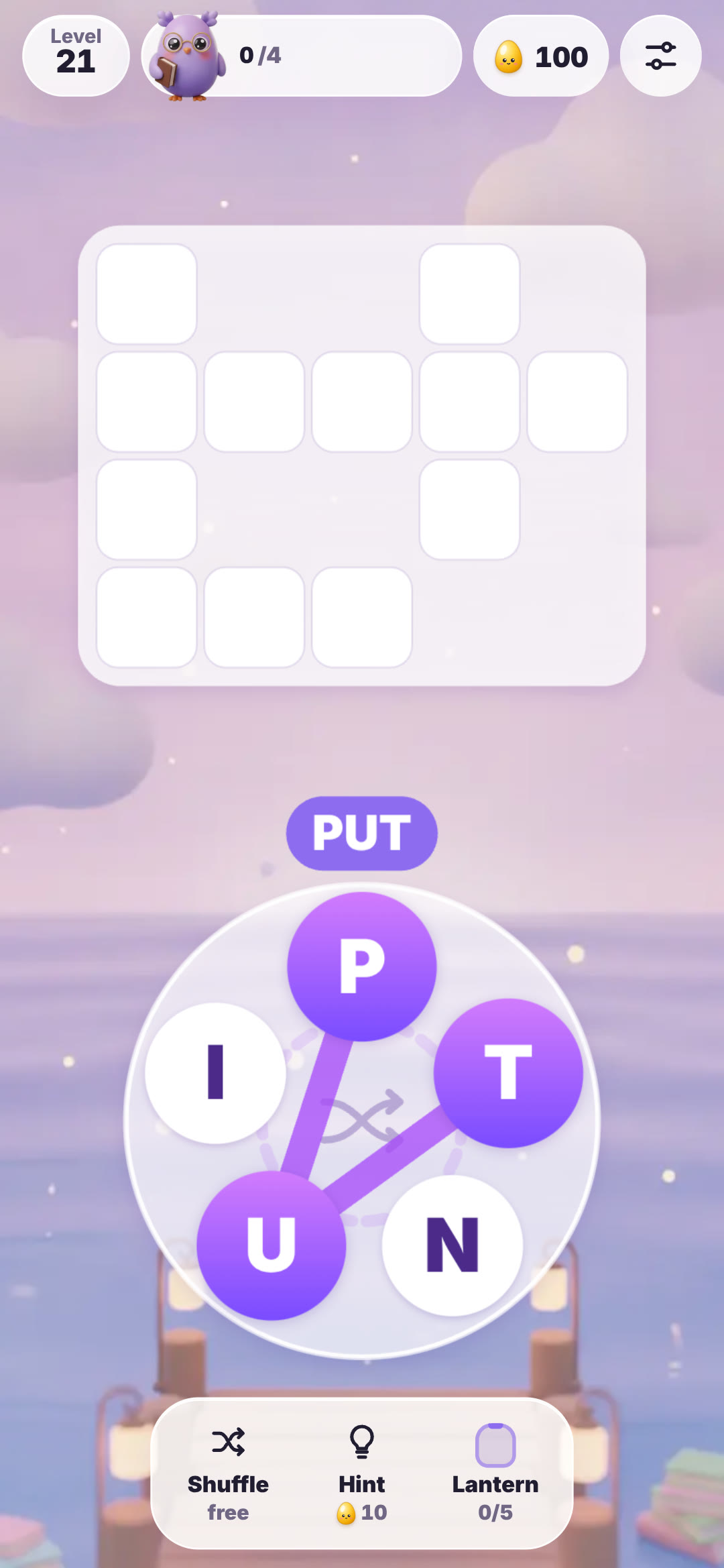 Step 1: Put your finger or mouse on the first letter and slide to the next ones without lifting. A violet line joins the letters and the word builds in a bubble above the nest. If you pick a wrong letter, slide back over it to take it off.
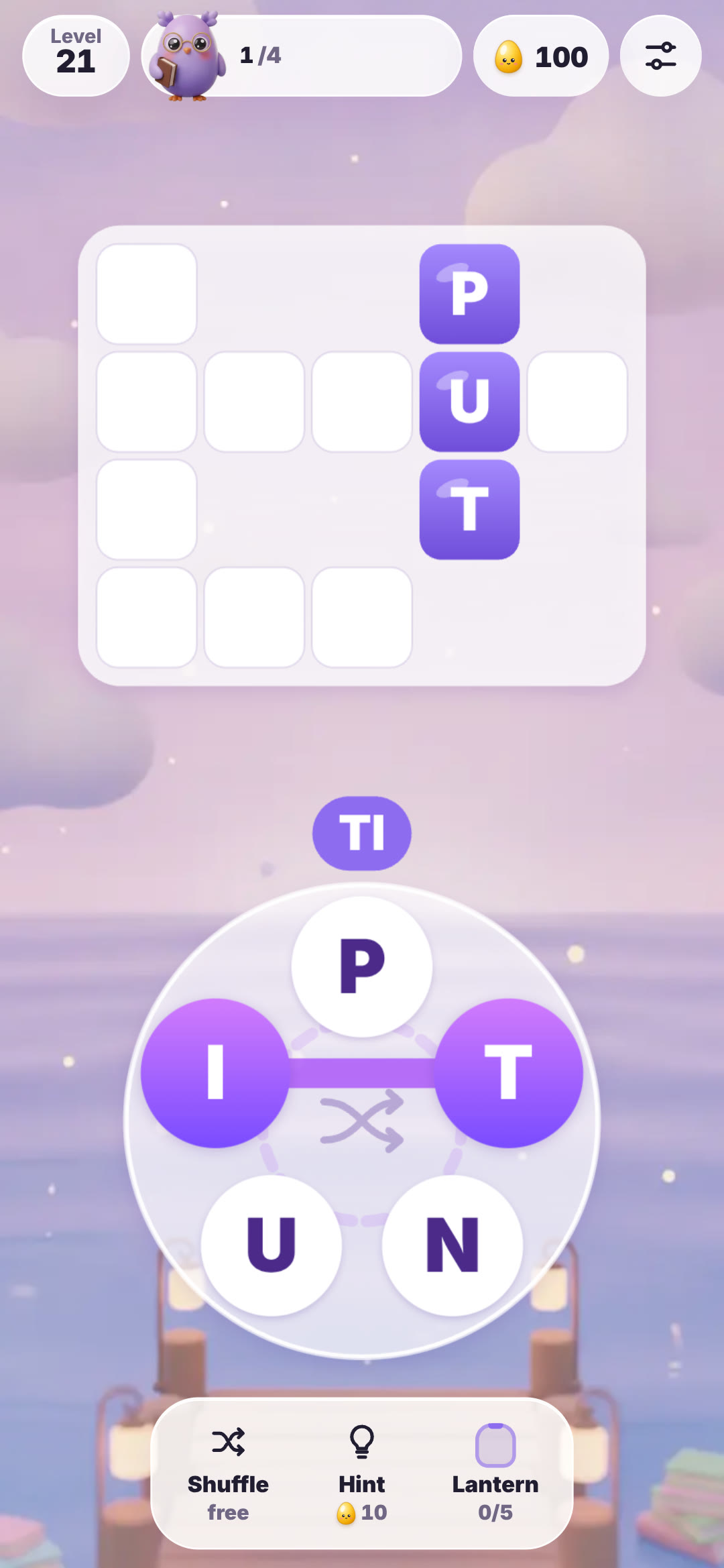 Step 2: Let go to check the word. A crossword word pops into its squares straight away, and the counter at the top moves on. Here PUT has filled a column and the next word is already on its way.
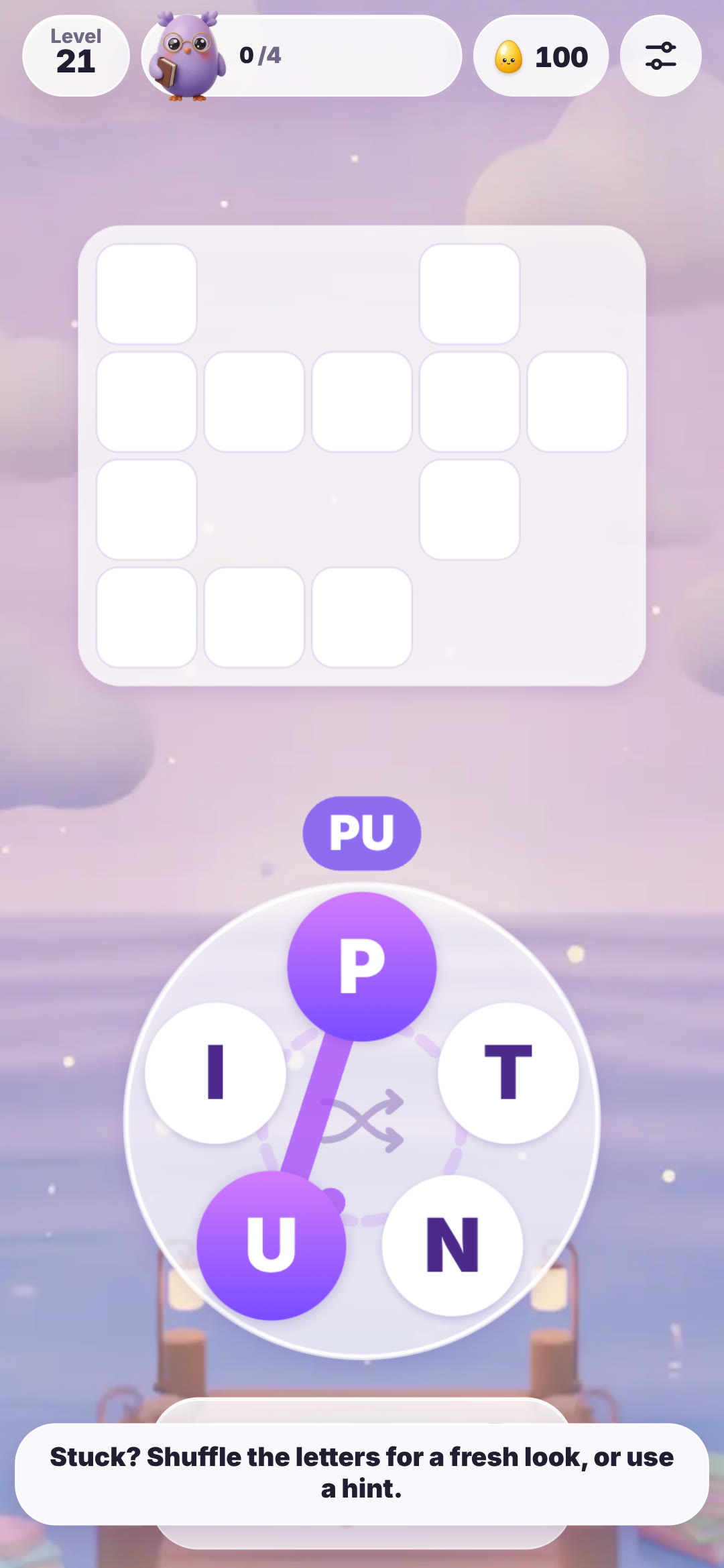 Step 3: Stuck? Use the dock under the nest. Shuffle is always free and moves the letters around the ring, Hint shows one letter, and the Lantern counts your bonus words. The game reminds you of this with a short tip the first time.
What are the controls on phone and computer?
On a phone or tablet you swipe across the letters with one finger. A second finger is ignored, so a stray touch will not ruin a word. With a mouse it works the same way: hold the button, drag across the letters and release. On a keyboard you can simply type the word and press Enter to check it. Backspace removes the last letter, Escape clears the word and Space shuffles the nest. Tapping the middle of the nest also shuffles. Word Nest works in portrait and landscape; on a wide screen the crossword sits on the left and the nest on the right. The menus come in English, Vietnamese, Japanese, Chinese and Korean, and the words themselves are common English words checked to be family-friendly.
Bonus words, hints and Violet's lantern
Any real English word you can make from the nest that is not in the crossword counts as a bonus word. It flies into Violet's lantern instead of being wasted. Every five bonus words fill the lantern and give you one free hint, and free hints carry over to later levels. You can see the bonus words you have found in the settings. A hint shows the next hidden letter of the shortest word you are still missing. When a hint fills the last missing letter of a word, that word counts as found. Hints you buy cost OvO Tokens, which you earn by clearing levels, so the lantern is the easiest way to keep a few in reserve.
Tips to beat hard levels in Word Nest
Every tenth level is a hard one with an extra word, so it pays to arrive with a free hint or two. Start with the longest word, since one crossword word always uses every letter in the nest. Count the squares in each empty slot: a three-square gap needs a three-letter word, which narrows your guesses a lot. If the nest has an S, try adding it to the end of words you already found. Swap letters in your head to spot anagrams, because pairs like CARE and RACE often sit in the same crossword. When nothing comes, shuffle; new neighbours make new words jump out. And swipe every real word you see, even if it does not fit, because each one fills the lantern. Every fifth level is a calmer breather with one word fewer.
| Detail | Word Nest |
|---|---|
| Puzzle type | Word connect crossword |
| Released | October 24, 2026 |
| Levels | 300 in 12 chapters, first 30 free |
| Letters in the nest | 3 to 7 |
| Words per crossword | 2 to 9 |
| Controls | Swipe or drag across letters; type and press Enter on a keyboard |
| Helpers | Free Shuffle, Hint, Violet's lantern (5 bonus words = 1 free hint) |
| Timer or lose state | None; stars come from how many hints you use |
| Modes | Levels, daily puzzle, friend challenge |
| Where to play | Web browser on phone, tablet or computer |
Watch
Word Nest gameplay
28 seconds of Word Nest: swiping letters in the nest to fill a level 21 crossword.
▶ 28 sec
Questions
How do you play Word Nest?
Swipe across the letters in the nest to spell a word and let go. Words that belong in the crossword fill their squares, and the level ends when every square is filled.
How do you beat hard levels in Word Nest?
Find the longest word first, count the squares in each slot and shuffle when you are stuck. Save free hints from Violet's lantern for every tenth level, which has one extra word.
Is Word Nest free?
Yes. Word Nest is free to play on ovo.games and the first 30 levels are open to everyone. The optional OvO Pass unlocks the rest.
Can you play Word Nest on a phone?
Yes. It runs in the web browser on phones and tablets as well as computers, in portrait or landscape.
What are bonus words in Word Nest?
Real words you make from the nest that are not in the crossword. Five of them fill Violet's lantern for one free hint.
Is there a timer in Word Nest?
No. There is no timer and no lives, so you can take as long as you like on every level.
 Pixel Hatch
 Feather Solitaire
 Tile Trio