
How to play OvO Jigsaw
Updated 5 min read
Quick answer
To play OvO Jigsaw, drag a piece from the tray onto the picture. When you drop it in its own spot it snaps into place; anywhere else it just slides back. Place every piece to finish the level. Peek shows the whole picture and Edges puts the border pieces first, and both are free.
OvO Jigsaw is the calm jigsaw puzzle on OvO.games, out on October 27, 2026. Pixel the painter OvO keeps you company while you put together 16 painted scenes from the OvO world, from 9 big pieces up to 100 small ones. It plays free in the browser on a phone or a computer, and you cannot lose a level.
On this page
What is the goal in OvO Jigsaw?
Every level is one painted OvO scene cut into classic jigsaw pieces with tabs and blanks. The pieces wait in a tray under the picture, or beside it on a wide screen, and the board shows a faint copy of the scene so you can see roughly where things go. Your job is to place every piece. The counter at the top shows how many are in, for example 3 of 12, next to a clock. There is no way to lose: a piece dropped in the wrong spot does not stick, and you can keep trying for as long as you like. When the last piece lands, Pixel finishes the picture and the win card shows your stars and time. Each new scene you finish also goes into your picture gallery, which you can open from the settings.
How to play OvO Jigsaw, step by step
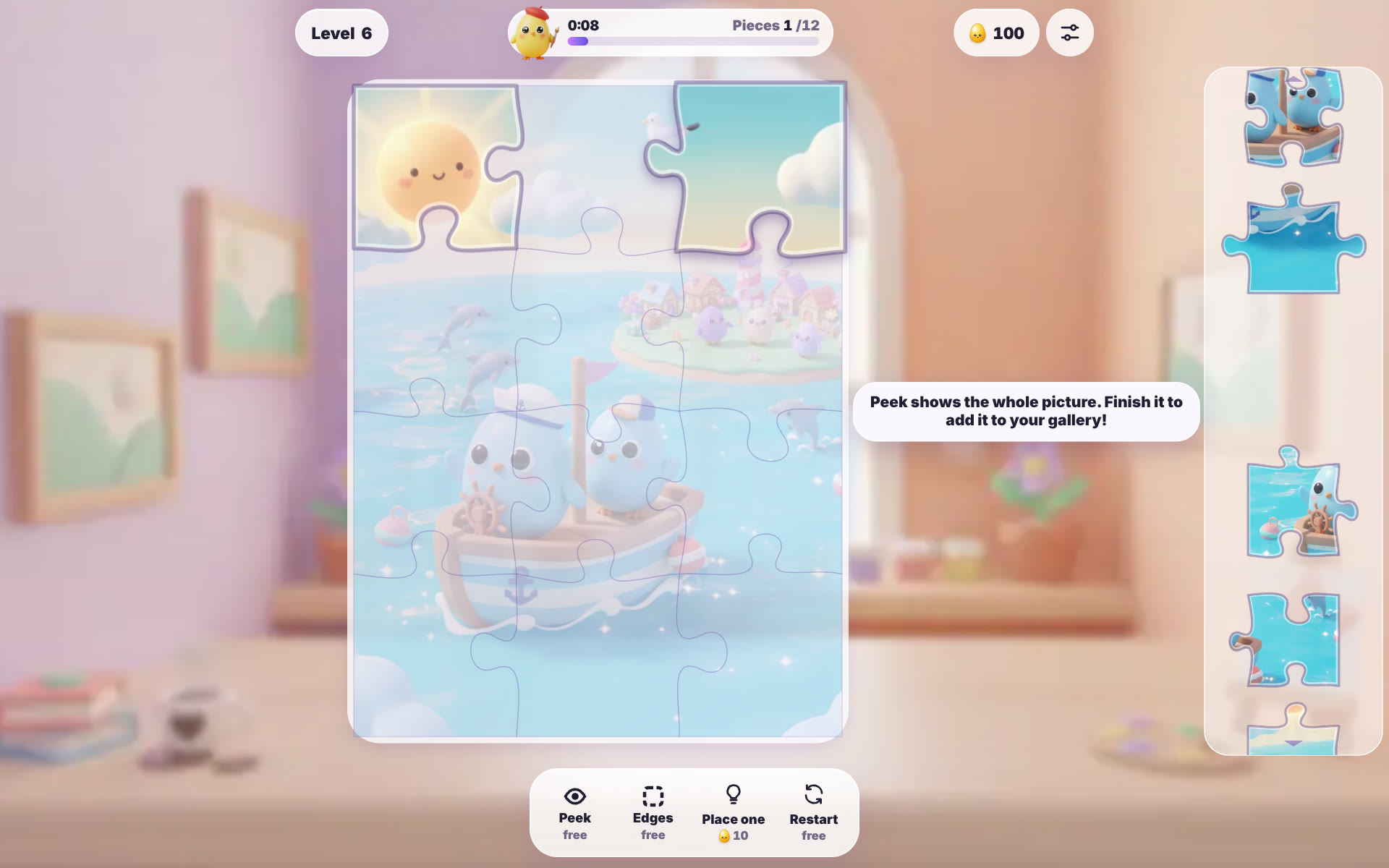
Here is level 6, a 12-piece sailing scene with two blue OvOs in a boat. The early levels are a good place to learn the moves.
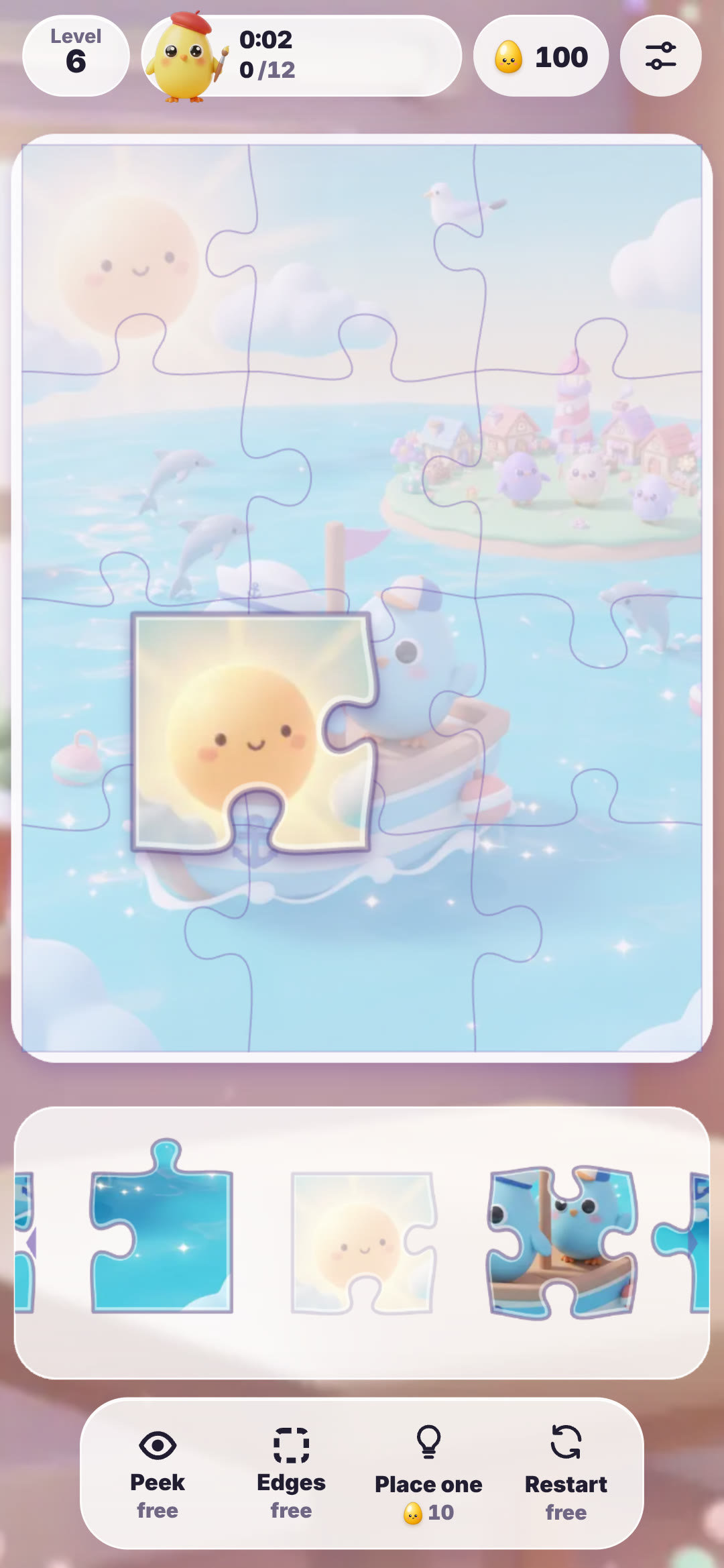 Step 1: Find a piece in the tray and drag it up onto the board. Corners are the easiest start, because they have two straight sides. Swipe the tray sideways to see the pieces that do not fit on screen.
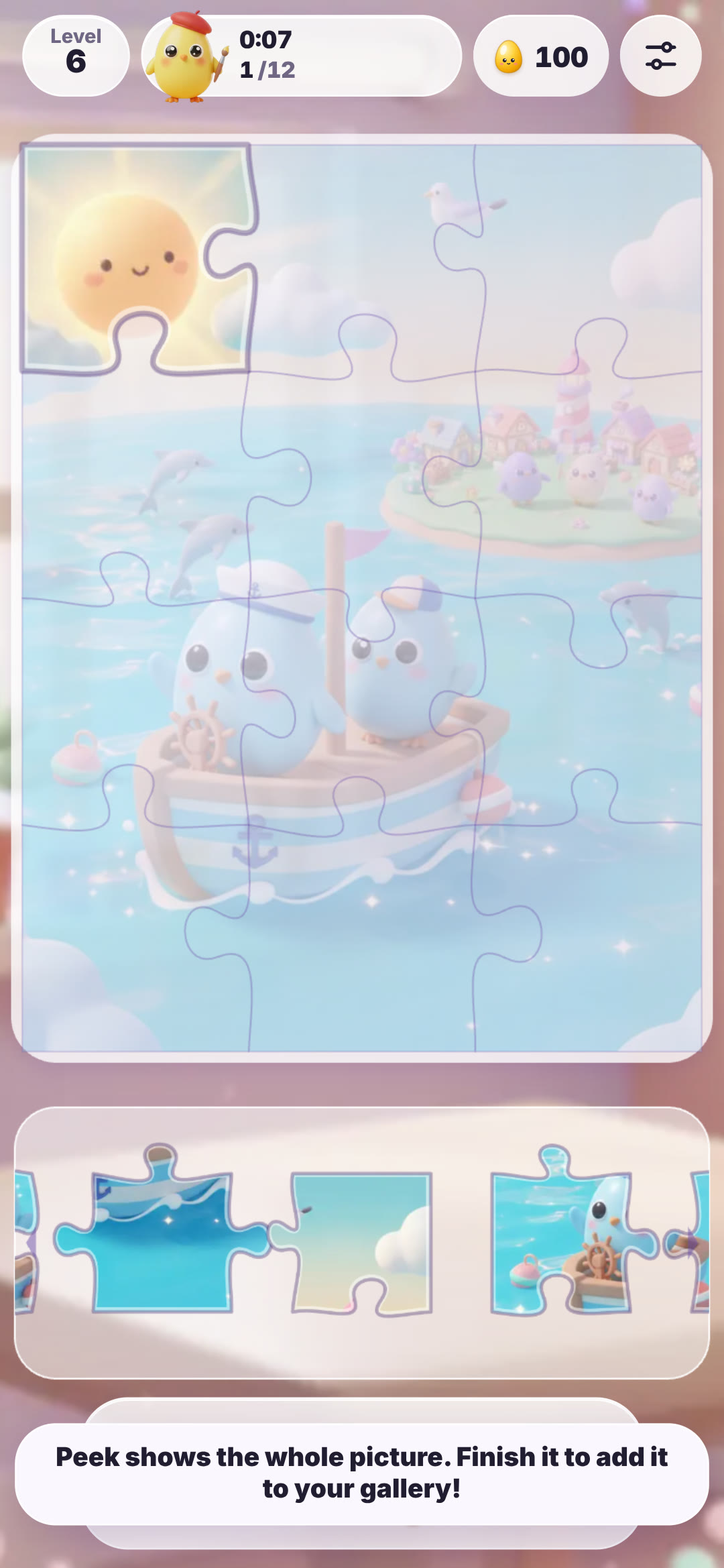 Step 2: Let go when the piece is over its spot. If it is right, it snaps in with a pop and the counter goes up. If it is wrong, it goes back to the tray with no penalty. A tip reminds you that Peek can show the whole picture.
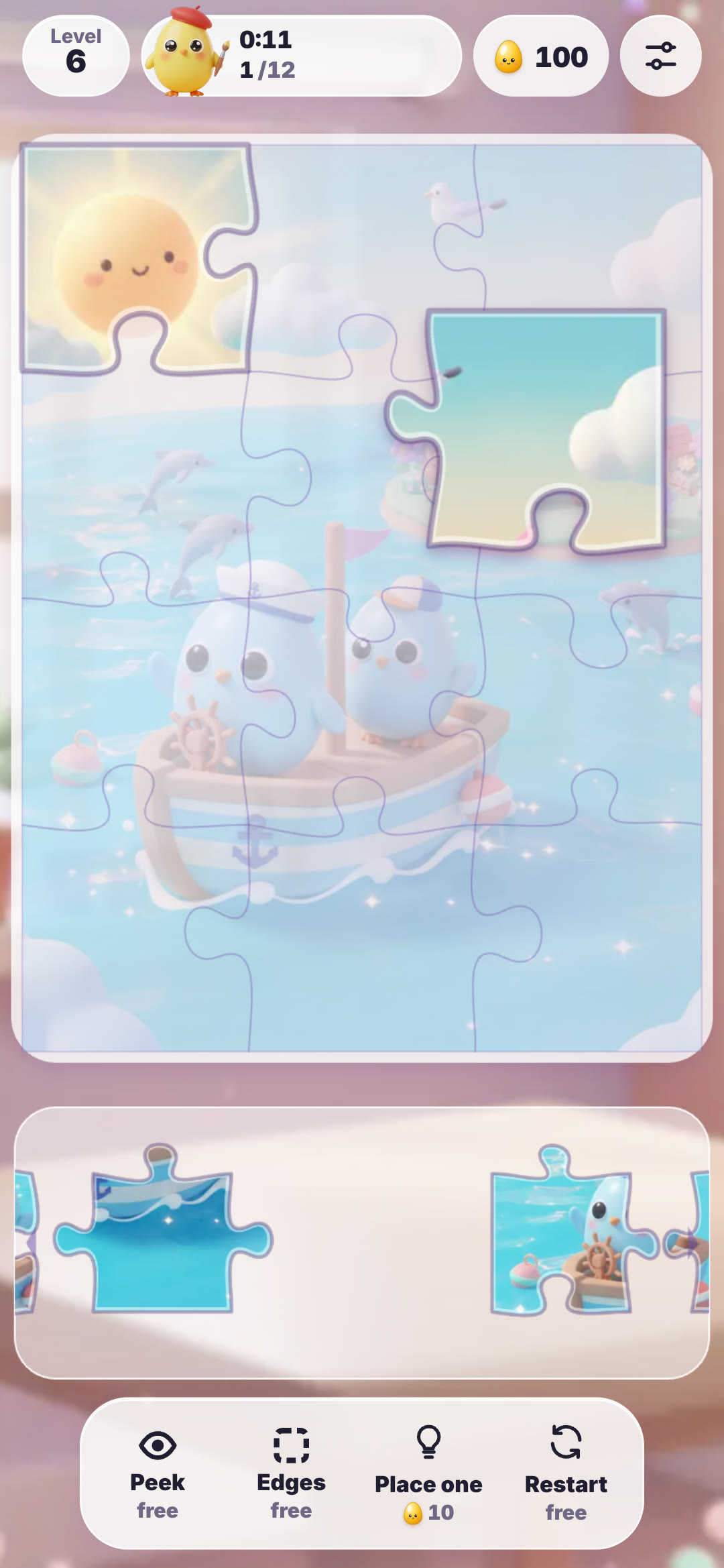 Step 3: Match the colours and the shapes. This sky piece with a cloud and a straight top and right edge can only be the top right corner.
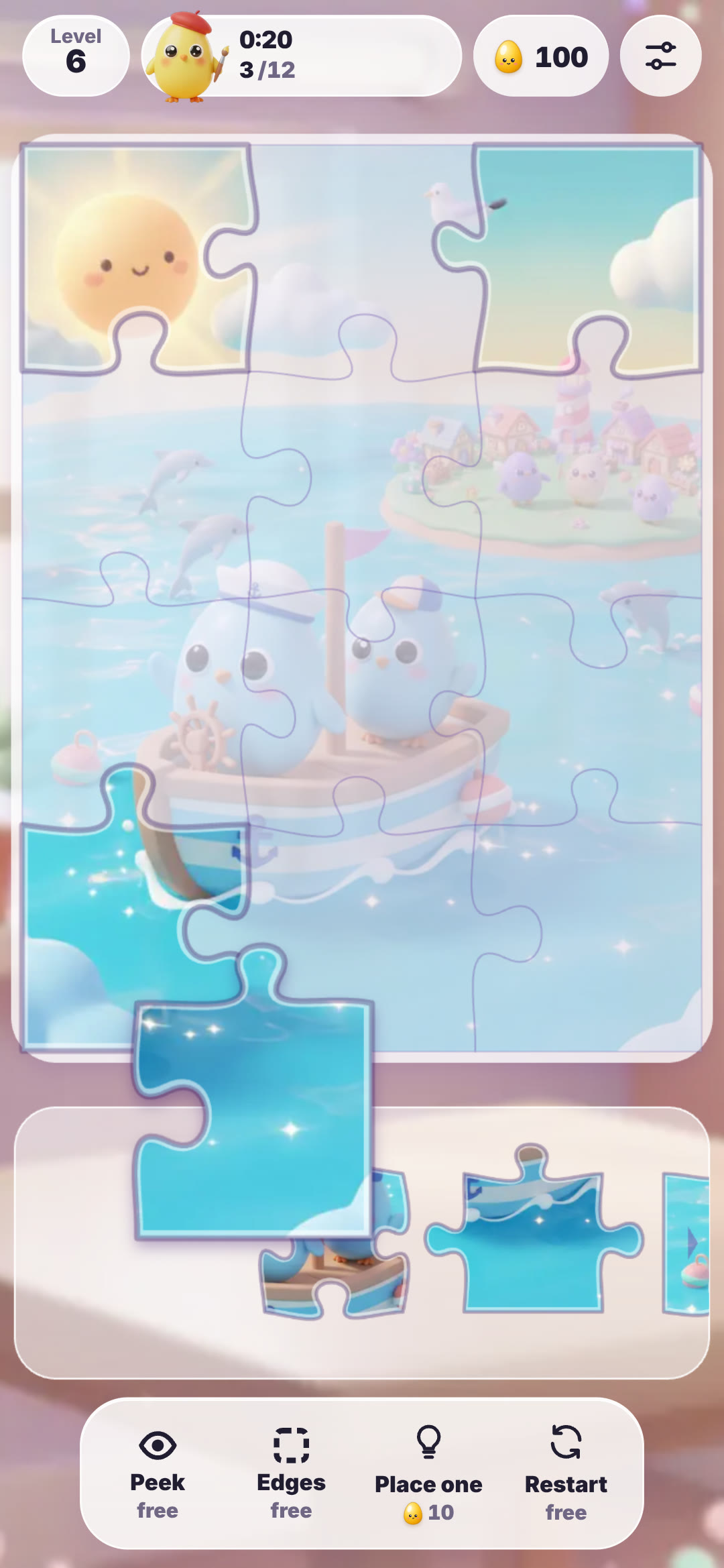 Step 4: Work along the border, then fill in the middle. Blue sea pieces belong along the bottom, so they are the next easy group once the corners are done.
What do Peek, Edges and Place one do?
Four buttons sit under the board. Peek shows the whole picture clearly for a moment and is free, so use it whenever you lose track of where something goes. Edges is a free switch that moves the border pieces to the front of the tray, which makes the classic edges-first method much quicker. Place one is the hint: it puts one piece in its spot for you and costs OvO Tokens, which you earn by finishing levels. Restart is free and starts the level again. In the settings you can also turn the picture guide, the faint scene on the board, on or off. The guide gets fainter as you go further, and hard levels have no guide at all.
What are the controls on phone and computer?
On a phone or tablet you drag pieces with your finger and swipe the tray sideways to scroll it. The game is made for portrait, so on a phone held sideways it asks you to turn it upright for bigger pieces. With a mouse it works the same way: hold the button on a piece, drag it onto the board and let go. On a computer the tray sits to the right of the picture. You can also play with the keyboard: left and right pick a piece, R turns it, the arrow keys pick a spot on the board and Enter drops the piece there. The menus come in English, Vietnamese, Japanese, Chinese and Korean.
Tips to beat hard levels and twist levels
The puzzles grow from a 3 by 3 grid to 10 by 10 over 300 levels. Every tenth level is a hard one with one grid size more and no picture guide, so it pays to switch Edges on and build the frame first. Every fifth level is a calmer breather with one size fewer. From level 121, twist levels mix things up: about half the tray pieces are turned. Tap a turned piece in the tray to rotate it a quarter turn, and keep tapping until it stands upright, because a turned piece will not snap in. Sort by colour too: sky, sea and the OvO characters each make an easy cluster. For three stars, finish under the target time without using Place one. One hint or a slower finish still gets two stars, and every finished level gets at least one.
| Detail | OvO Jigsaw |
|---|---|
| Puzzle type | Jigsaw puzzle with classic tab and blank pieces |
| Released | October 27, 2026 |
| Levels | 300, first 30 free |
| Pictures | 16 painted OvO scenes, collected in a gallery |
| Pieces per level | 9 (3 by 3) up to 100 (10 by 10) |
| Controls | Drag with finger or mouse; keyboard: arrows, R to turn, Enter to drop |
| Helpers | Peek (free), Edges (free), Place one (OvO Tokens), Restart (free) |
| Special levels | Hard every 10th, breather every 5th, twist levels from 121 |
| Lose state | None; stars come from time and hints |
| Modes | Levels, daily puzzle, friend challenge |
| Where to play | Web browser on phone, tablet or computer |
Watch
OvO Jigsaw gameplay
28 seconds of OvO Jigsaw: dragging pieces from the tray onto a 12-piece sailing scene on level 6.
▶ 28 sec
Questions
How do you play OvO Jigsaw?
Drag pieces from the tray onto the picture. A piece snaps in when it is in its own spot, and the level ends when every piece is placed.
How do you beat hard levels in OvO Jigsaw?
Switch on Edges, build the border first, then fill the middle by colour. Use Peek, which is free, whenever you need to see the whole picture, since hard levels have no guide on the board.
Is OvO Jigsaw free?
Yes. OvO Jigsaw is free to play on ovo.games and the first 30 levels are open to everyone. The optional OvO Pass unlocks every level.
Can you play OvO Jigsaw on a phone?
Yes. It runs in the web browser on phones and tablets as well as computers. On a phone it plays in portrait, with the piece tray under the picture.
What are twist levels in OvO Jigsaw?
From level 121, some levels have about half the pieces turned. Tap a turned piece in the tray to rotate it until it is upright, then place it.
Can you lose in OvO Jigsaw?
No. There are no lives and a wrong drop has no penalty. The clock only decides how many stars you get.
 Pixel Hatch
 Tile Trio
 Hexa Nest