

How to Play Snug Pack: Rules, Controls and Tips for Hard Trips
Updated 6 min read
Quick answer
To play Snug Pack, drag every piece of clothing from the tray into Goldie's suitcase until no empty square is left. Tap a tray piece to turn it (pieces never flip) and tap a packed piece to take it out. There is no timer and no way to lose. Undo and Restart are free; a Hint costs 10 tokens.
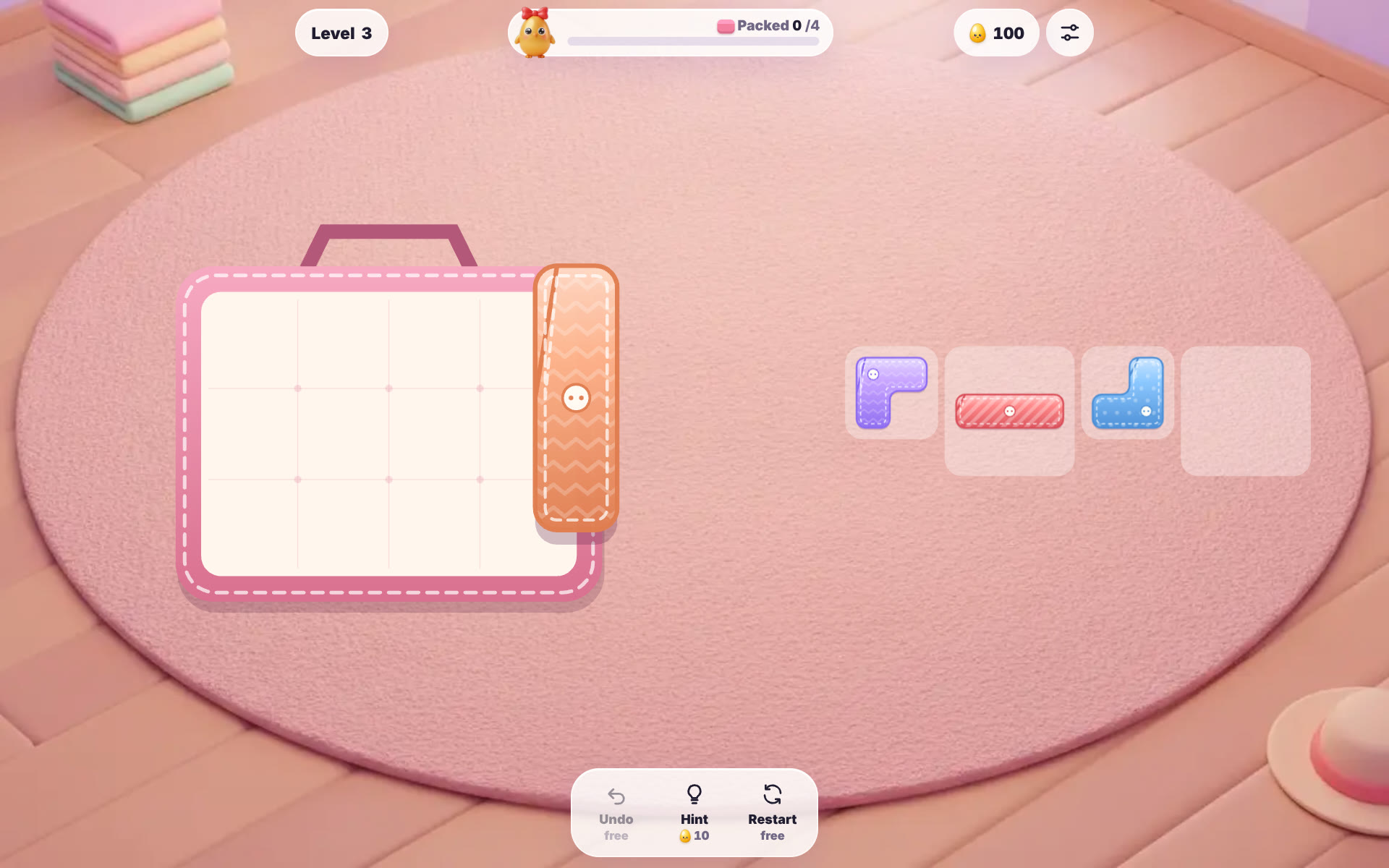
Snug Pack is a packing puzzle on ovo.games that came out on November 19, 2026, starring Goldie, the golden OvO with the big red bow. Each level is a trip: a suitcase drawn as a grid and a tray of socks, scarves, shirts and sweaters cut into blocky shapes. This guide covers the rules, the controls on touch, mouse and keyboard, how stars work and the habits that get you through the harder trips.
On this page
What is the goal in Snug Pack?
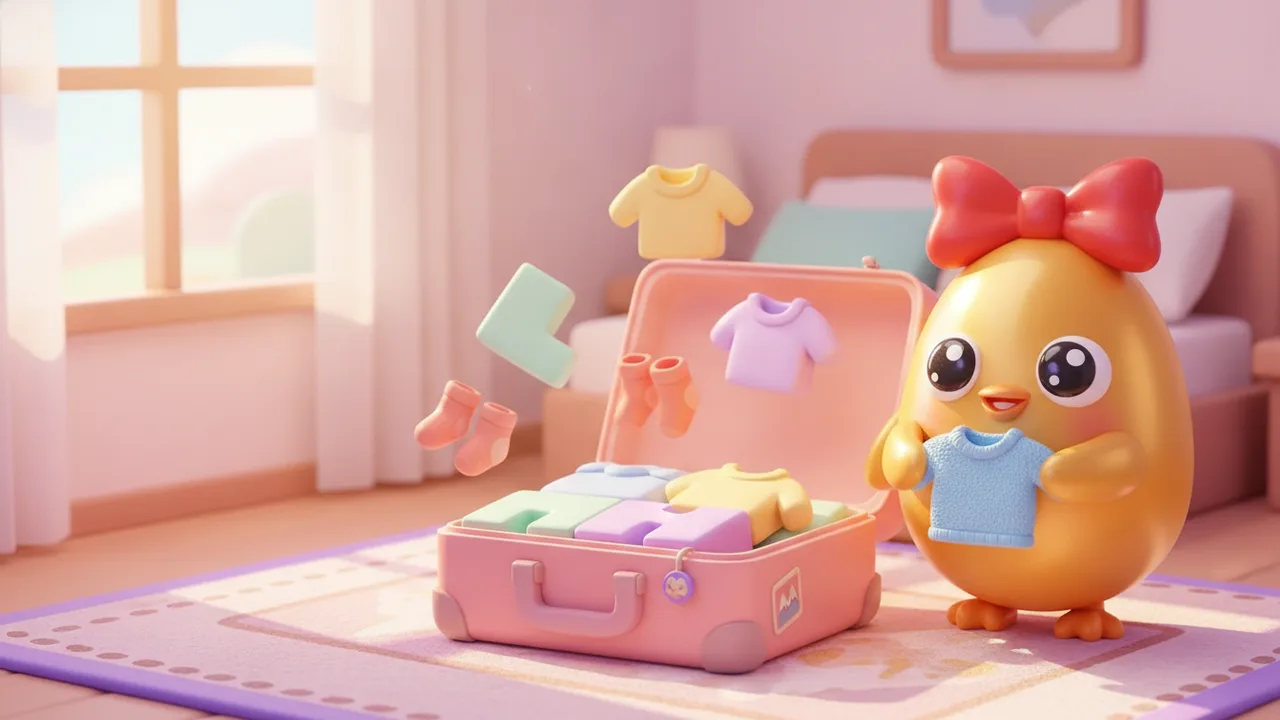
Every level hands you a suitcase and a tray of clothes. Each piece of clothing covers a few squares of the grid, from one up to six, in shapes like straight bars and L shapes. Your job is to fit all of them into the case so that every open square is filled. When the last piece lands, the lid closes with a heart sticker and a Next trip button takes you on. The counter at the top shows how many pieces you have packed out of the total. The cases grow as you go, from a tiny 3x2 bag to a 7x8 trunk across 300 levels. From level 16 some pieces arrive already turned, from level 25 some cases have small lilac pouches that take up squares, and from level 60 some cases have rounded corners. There is no timer, no lives and no way to fail a trip, so you can think as long as you like.
How to pack a suitcase, step by step
The first time you play, a short card with four steps explains the basics and waits for you to press Got it. You can open it again from Settings. The pictures below follow level 3 on a phone, a 4x3 case with four pieces of three squares each. The counter at the top climbs from Packed 0/4 as each piece goes in, and the dock below the tray stays the same on every level.
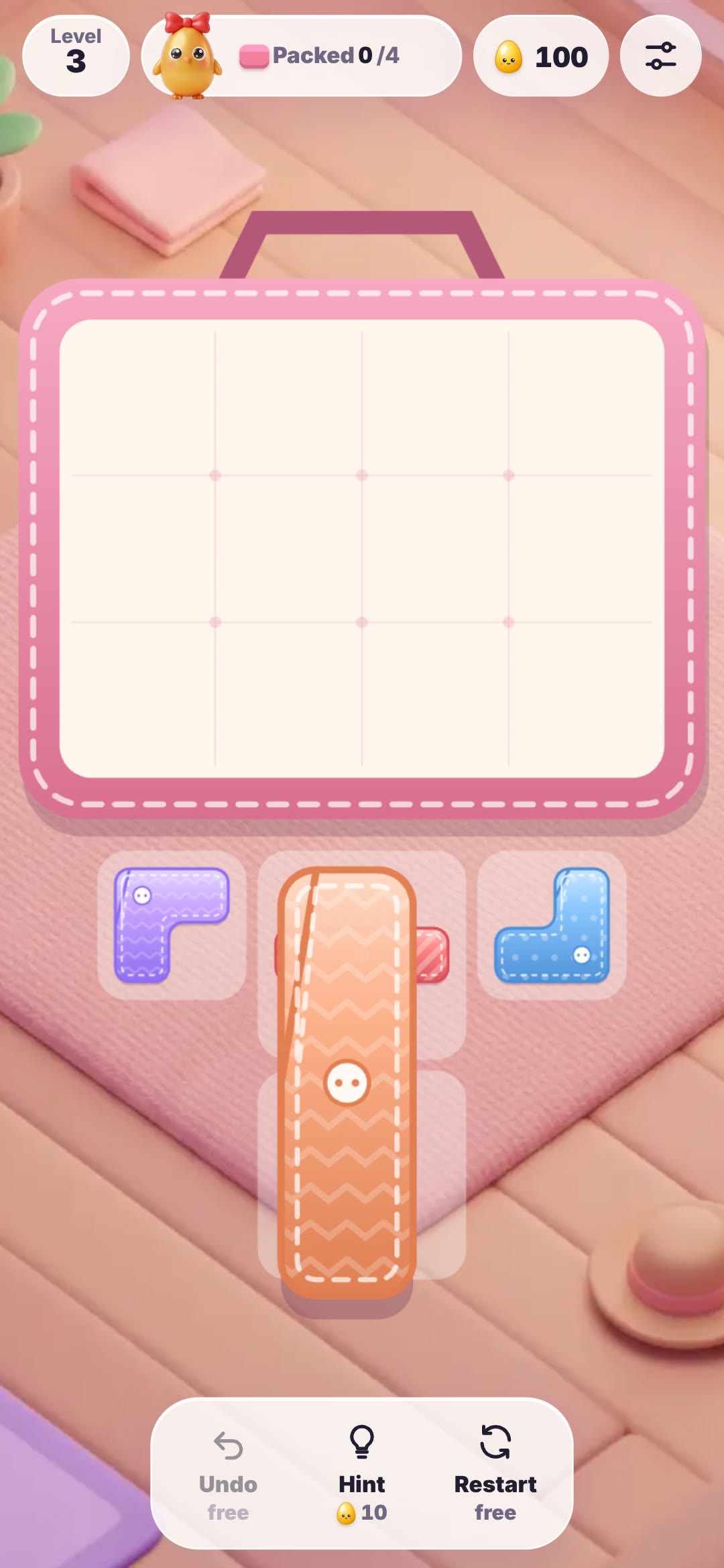 Step 1: Drag a piece up from the tray. On a touch screen the piece lifts above your finger, so you can see the squares it will cover instead of your fingertip.
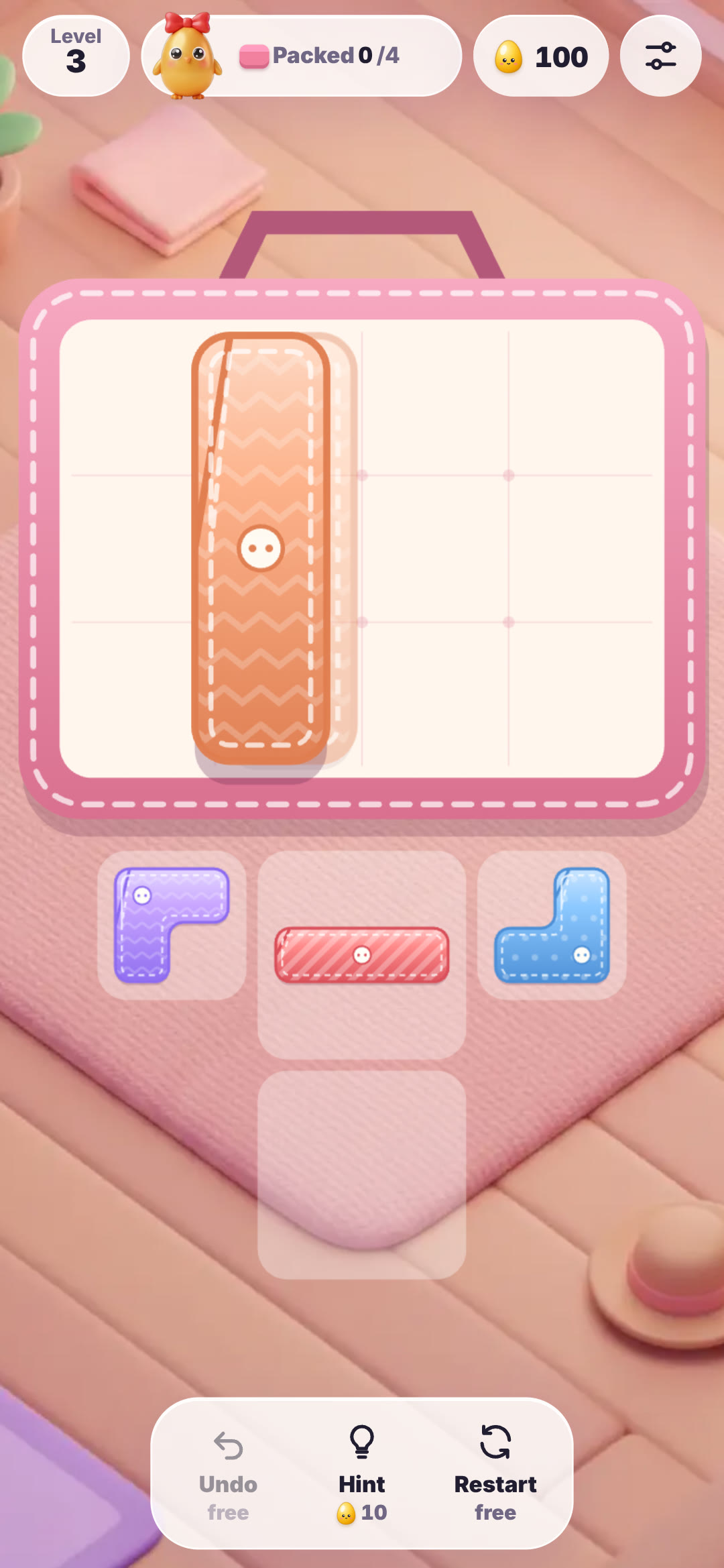 Step 2: Move it over the suitcase. A ghost shows exactly where it will land, and the squares turn red if it does not fit there. Let go to pack it.
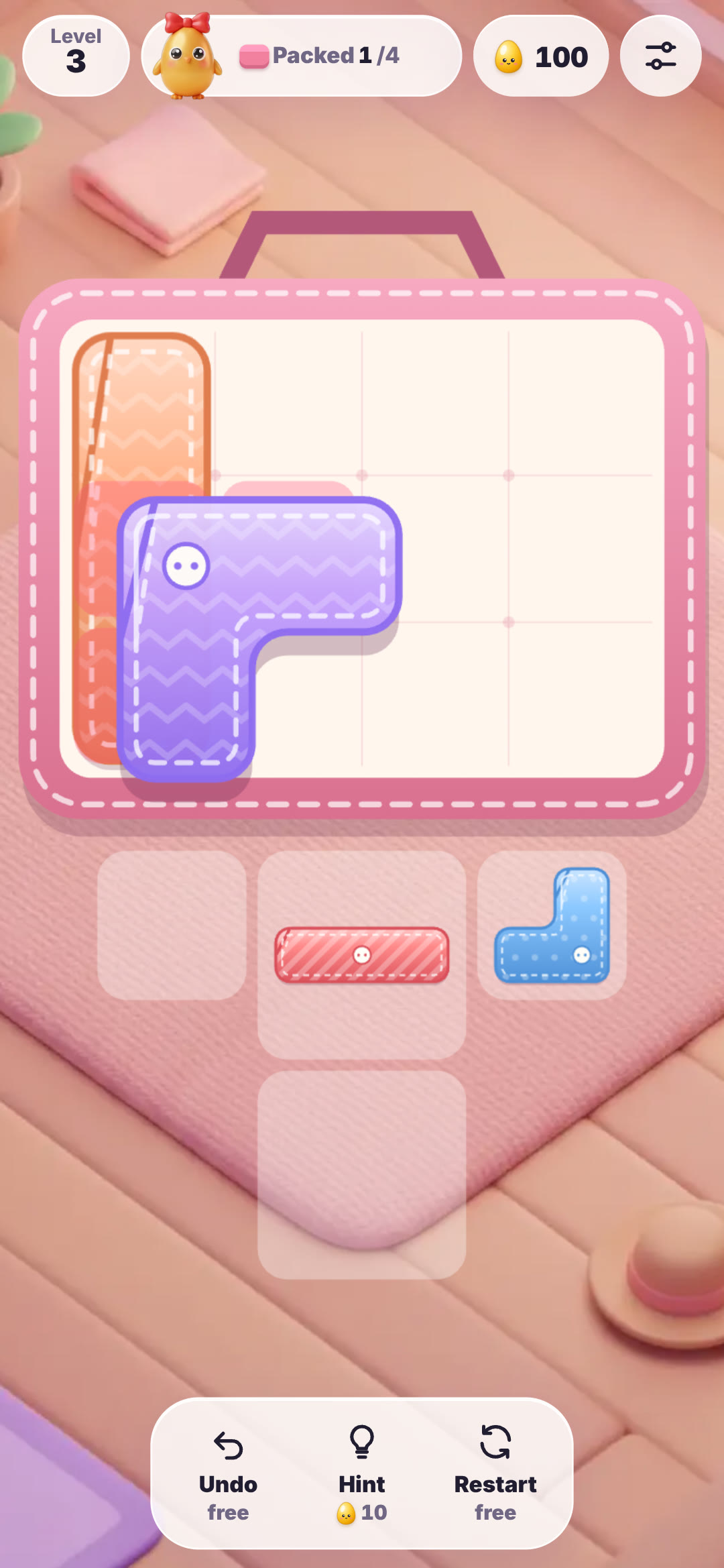 Step 3: Keep going with the next shapes. Here the orange bar sits along the left wall, and an L-shaped purple piece is being lined up next to it. Tap a piece in the tray before you drag it if it needs to face another way.
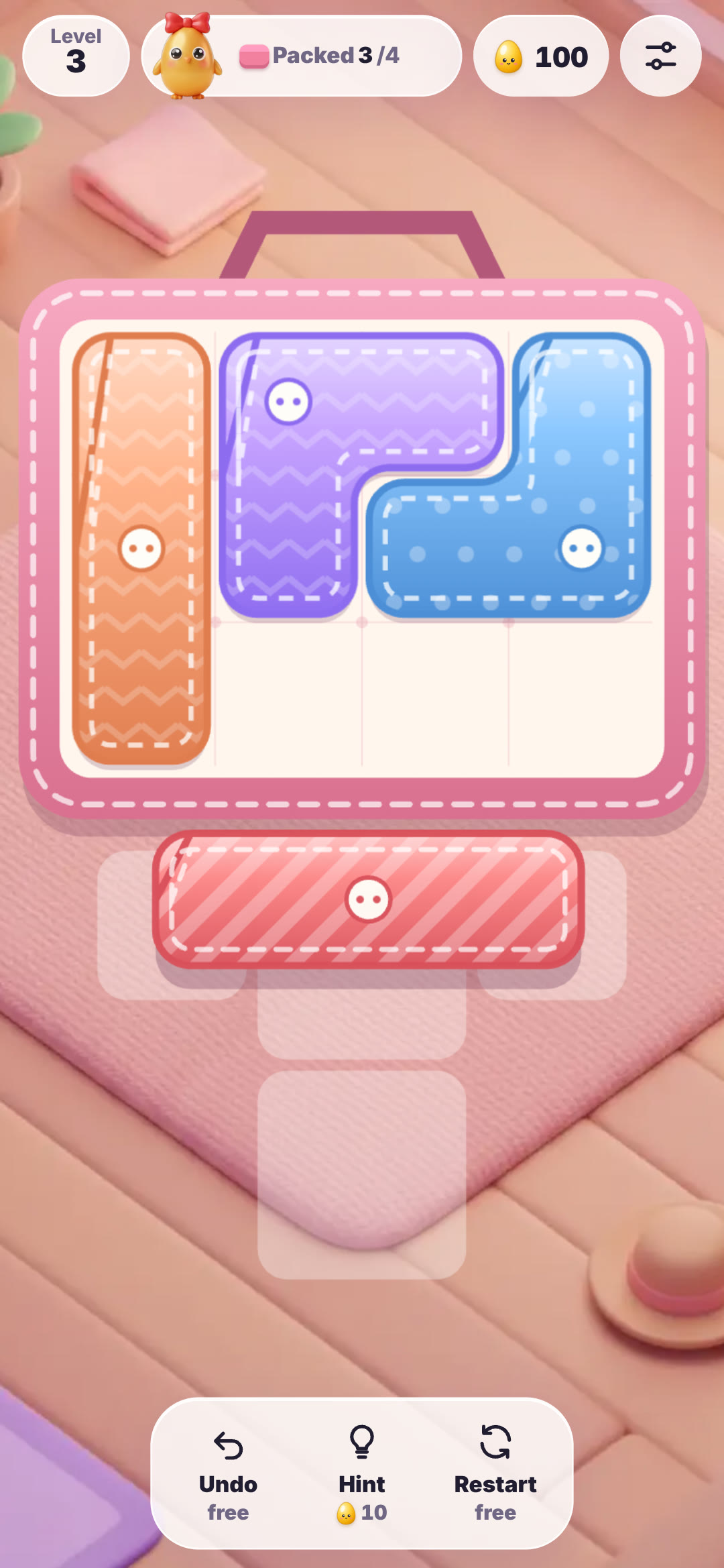 Step 4: Fill the last gap. With three pieces in, only a straight row of three squares is left along the bottom, and the red bar from the tray fits it exactly. Once every square is covered, the lid closes and the trip is done.
What are the controls on touch, mouse and keyboard?
On a phone, tablet or computer you drag pieces from the tray into the case. A quick tap on a tray piece turns it by a quarter. Pieces turn but never flip, so an L shape can face four ways, but its mirror image is not one of them. Tap a piece that is already packed to send it back to the tray, or drag it to move it somewhere else in the case. On a keyboard, Tab picks a piece, Space or R turns it, the arrow keys move it and Enter packs it. H asks for a hint, Z or Backspace undoes a move, and Esc cancels the piece you are holding. The dock at the bottom of the screen has three buttons: Undo and Restart, both marked free, and Hint with its token price.
How do stars, hints and scoring work?
Stars depend only on hints. Pack a suitcase without a hint for three stars, with one hint for two stars and with more for one star. Undo, Restart and taking pieces back out never cost you a star, so you can try as many ideas as you want. A Hint costs 10 tokens and has Goldie pack one piece for you. If the pieces you already placed make the case impossible to finish, the same hint takes out the pieces that are in the way and then packs the next one. Next to the main run of levels there is a daily puzzle and friend challenges, where your score goes up with the number of pieces and down with every hint. Missions ask for things like clearing three levels, earning three stars on two levels or clearing three levels without boosters.
Tips to beat hard levels in Snug Pack
Start with the corners and edges. A corner square can only be reached by a few shapes, while the open middle takes almost anything. Pack the biggest pieces early, while there is still room to turn them. Watch for gaps one square wide: only a straight piece or the thin arm of an L fits there, so save your straight pieces for long, narrow slots. Count squares when a small area gets closed off. If the gap is smaller than every piece left in the tray, something next to it has to move. Pouches split the case into rooms, so fill the small room beside a pouch before the open middle. When an L-shaped hole is left, try each L piece in all four turns, since only one or two will fit. Every tenth level is a HARD trip with an extra row, so plan from the top, and from level 15 the levels ending in 5 are smaller CHILL trips that give you a breather.
Is Snug Pack free, and can you play it on a phone?
Yes. Snug Pack is free to play in the browser at ovo.games on a phone, tablet or computer, and in the OvO.games app for iPhone, iPad and Android. The first 40 levels are open to everyone. The rest of the 300 come with OvO Pass, the optional membership that unlocks every level, removes banners and break ads and adds 500 tokens a month. Tokens pay for hints at 10 each. On a phone the game stands upright with the tray under the case, and on a wide screen the tray moves beside it. The game is in English, Vietnamese, Japanese, Chinese and Korean.
| Feature | Snug Pack |
|---|---|
| Genre | Packing puzzle: fit clothing pieces into a suitcase grid |
| Goal | Fill every open square of the suitcase |
| Star OvO | Goldie, the golden OvO with the red bow |
| Levels | 300, from a 3x2 bag to a 7x8 trunk; the first 40 are free |
| Pieces | 1 to 6 squares each; they turn but never flip |
| Controls | Drag to pack, tap a tray piece to turn it, tap a packed piece to take it out |
| Keyboard | Tab, Space or R, arrow keys, Enter, H for a hint, Z to undo |
| Help | Hint costs 10 tokens; Undo and Restart are free |
| Stars | 3 with no hint, 2 with one hint, 1 with more |
| Timer | None, and no way to lose |
| Modes | Levels, a daily puzzle and friend challenges |
| Where to play | ovo.games in the browser and the OvO.games app for iPhone, iPad and Android |
Watch
Snug Pack gameplay
Level 3 of Snug Pack on a phone: four clothing pieces dragged into a 4x3 suitcase until every square is filled, then the next trip begins.
▶ 28 sec
Questions
How do you play Snug Pack?
Drag every piece of clothing from the tray into Goldie's suitcase until no empty square is left. Tap a tray piece to turn it and tap a packed piece to take it out again.
How do you beat hard levels in Snug Pack?
Fill corners and edges first, pack the biggest pieces early and keep straight pieces for narrow one-square gaps. If you get stuck, take pieces out for free or use a Hint, which also removes pieces that block the solution.
Is Snug Pack free?
Yes. Snug Pack is free on ovo.games and in the OvO.games app, and the first 40 levels are open to everyone. OvO Pass, an optional membership, unlocks the rest of the 300 levels.
Can you play Snug Pack on a phone?
Yes. It runs in the browser on phones and tablets and in the OvO.games app for iPhone, iPad and Android. On touch screens the piece lifts above your finger so you can see where it goes.
Can pieces be flipped in Snug Pack?
No. Pieces turn a quarter at a time when you tap them in the tray, but they never flip, so an L piece can never fill a hole shaped like its mirror image.
Is there a time limit in Snug Pack?
No. There is no timer and no way to lose a trip, and Undo and Restart are always free.
 Nest Blocks
 Pixel Peeps
 Gate Jam