


How to play Lily Path
Updated 6 min read
Quick answer
Here is how to play Lily Path: drag from Aqua to a lily pad right next to her and keep hopping up, down, left or right until you have visited every pad in the pond exactly once. You can never step on a pad twice or hop diagonally. Drag back or press Undo to change your route.
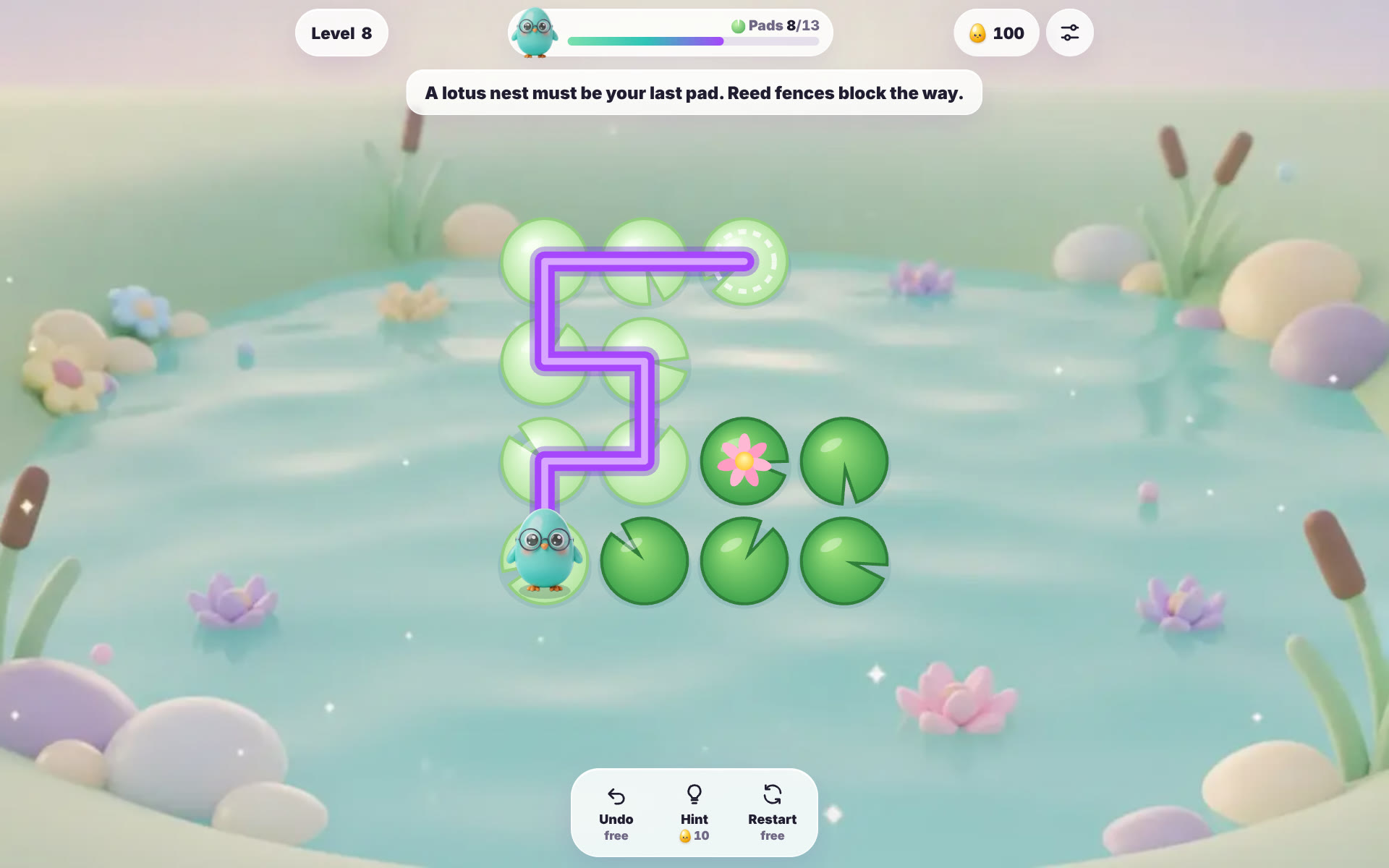
Lily Path is a calm one-line puzzle on OvO.games, the kind of game also called a one-stroke or draw-one-path puzzle. Aqua, the puzzle-loving OvO in round glasses, stands on a pond full of lily pads, and your job is to guide her across all of them in one unbroken path. The first pond has only six pads and takes a few seconds. Later ponds grow to grids of up to 7 by 9, with water gaps, a lotus nest and reed fences. This guide explains the rules, every control on a touch screen and a keyboard, what the nest and the fences change, how stars and hints work, and the tips that help most when a hard pond will not give in.
On this page
What are the rules of Lily Path?
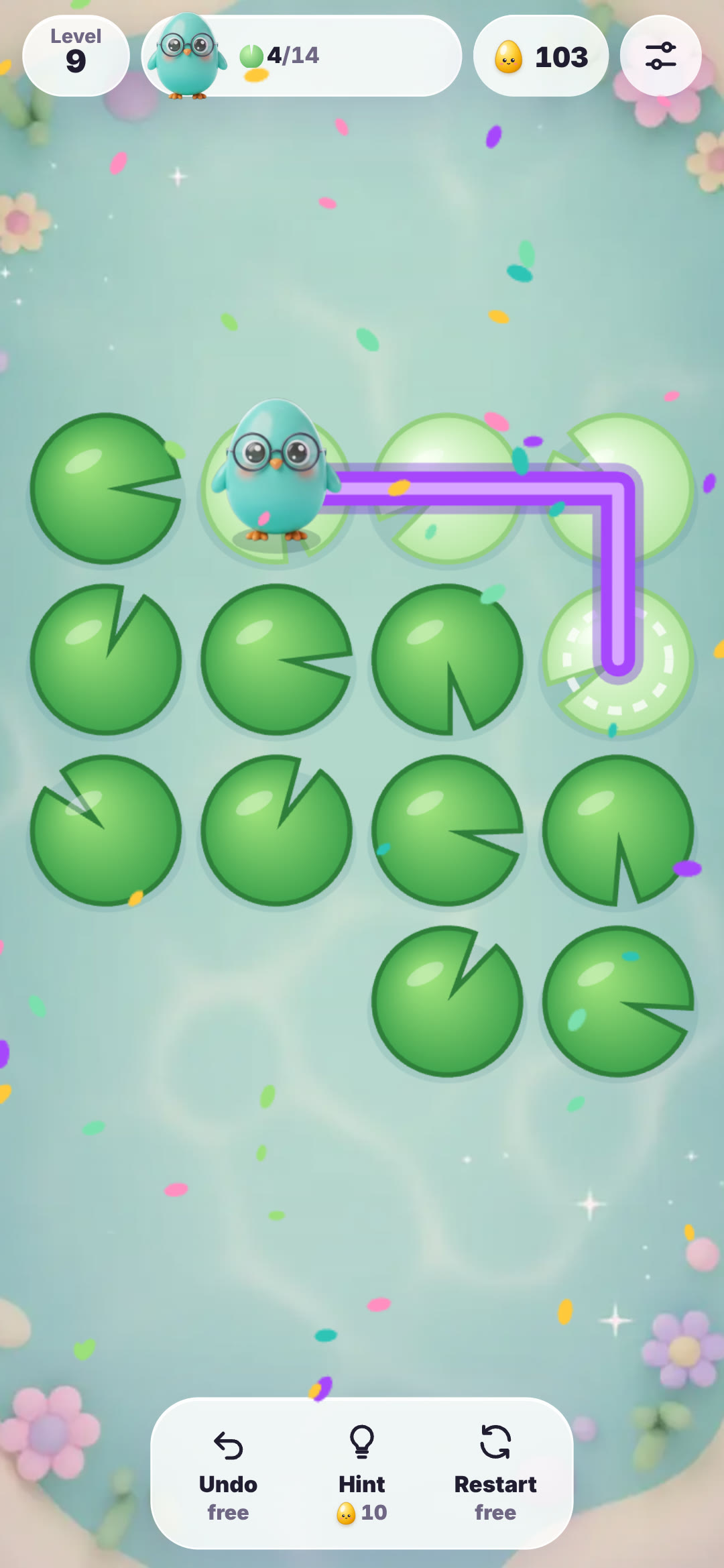
Every level is a pond of green lily pads on the water. Your path starts on Aqua's pad, which keeps a dashed white ring so you can always see where you began. From there you hop to a pad right next to the last one: up, down, left or right. Diagonal hops do not count, and you can never step on a pad you have already visited. Your route shows as a purple line and visited pads turn pale. The counter at the top tells you how many pads you have visited out of the total, for example 8 of 13. Gaps in the grid are open water, so your path has to go around them. Cover the last pad and the pond is cleared. There is no timer, no lives and no move limit, so you can stop and think for as long as you like.
How to play Lily Path, step by step
The pictures below follow one pond on a phone: level 8, with 13 pads and a pink lotus nest. The first time you open the game, short tips explain the basics, and you can read them again under How to play in the settings menu, the button with the sliders at the top right. If you hold your phone sideways and the pads get small, the game suggests turning it upright for bigger pads.
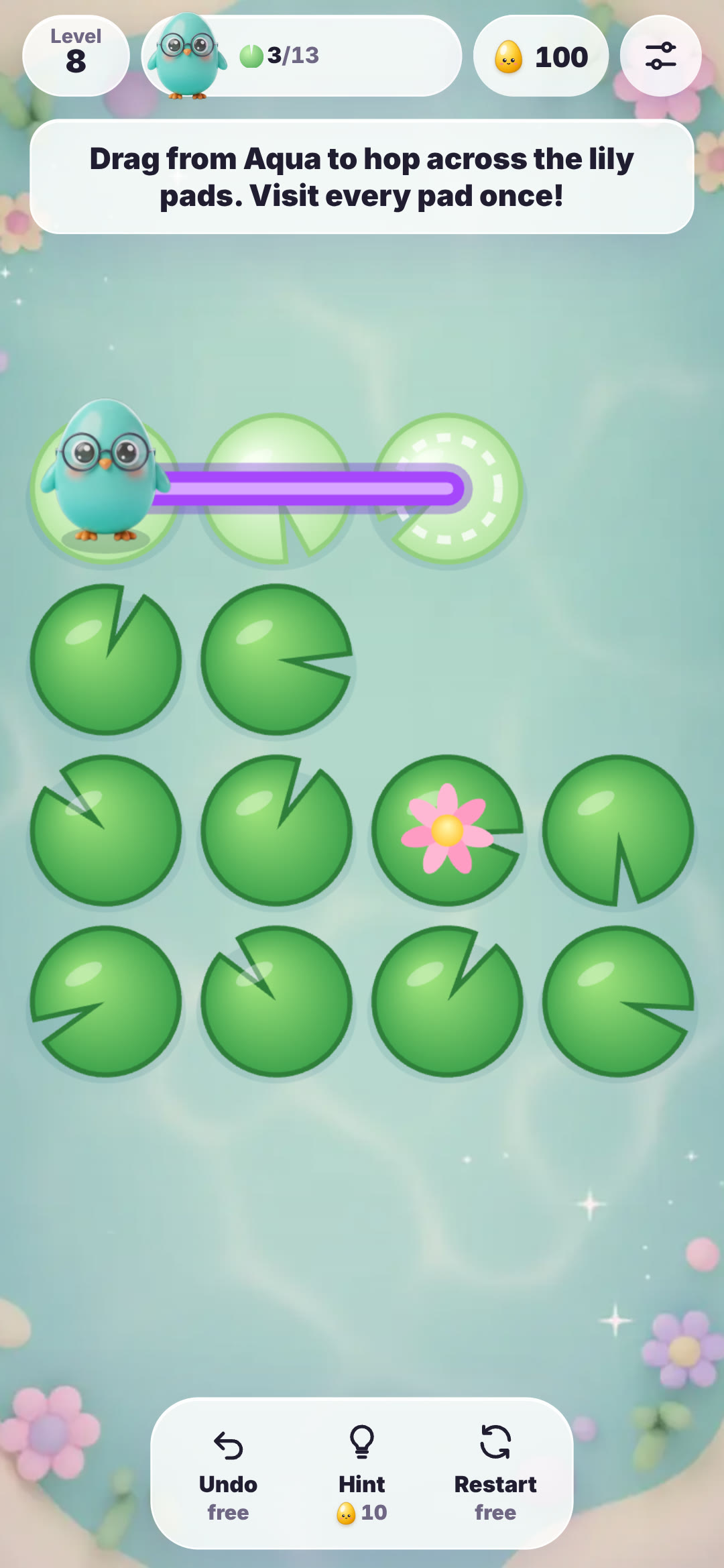 Step 1: Start from Aqua. Put your finger on the pad next to Aqua and drag, and she hops along as you draw. You can draw many hops in one long stroke, or tap the pad next to Aqua to hop one pad at a time. Here the path has run along the top row and the counter shows 3 of 13.
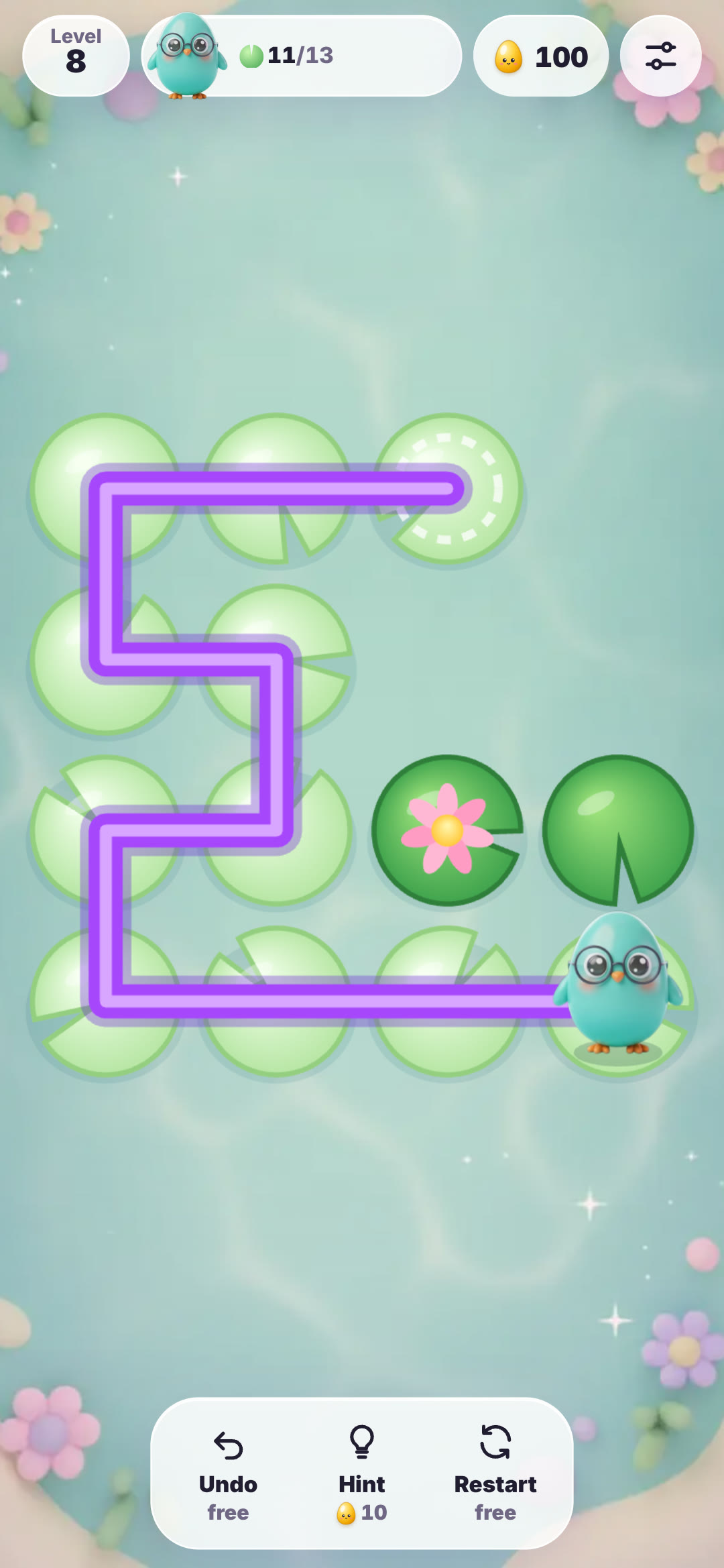 Step 2: Leave the right pad for last. Keep going until only a few pads are left, then check that they still form one line you can walk. In this pond the lotus nest must be the last pad, so the path sweeps around it first and comes back along the bottom row. Two pads are left: the one above Aqua, then the nest.
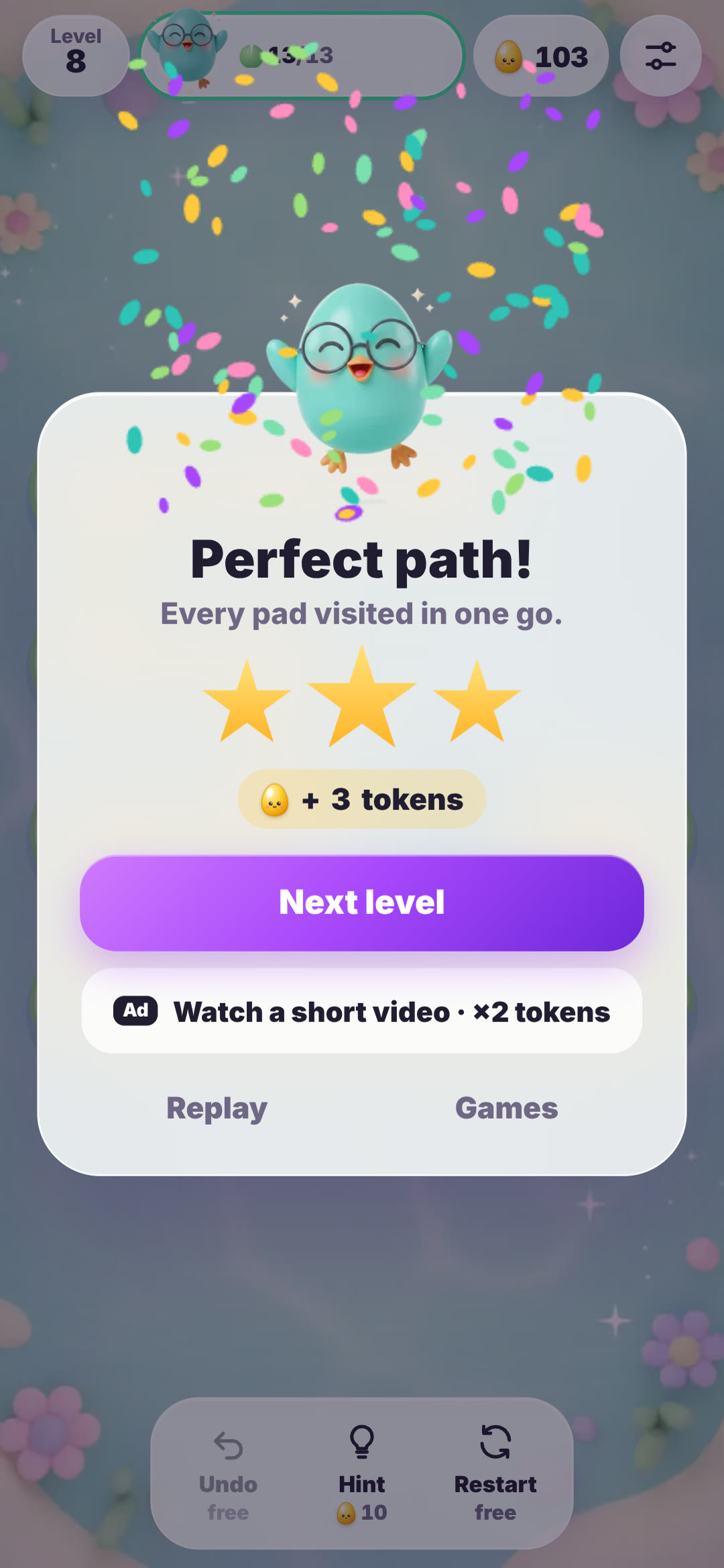 Step 3: Finish the pond. When the last pad is covered, Aqua cheers and a card shows your stars and the tokens you earned. From there you can go on to the next level, replay this one or watch a short optional video to double the tokens.
Undo, Hint and Restart: every control in Lily Path
Three buttons sit under the pond. Undo is free and takes back your last hop. You can also drag your finger back along the path, or tap any earlier pad on the path to cut it back to that point in one go. Restart is free too and clears the whole path. Hint costs 10 tokens: it cuts your path back only as far as it has to, to the longest start that can still be finished, and then hops one correct pad for you. If you swipe across the corner of a turn, the game hops through the corner pad instead of skipping it. On a computer you can use the mouse, or the arrow keys to hop, Backspace or Z to undo and R to restart. If you walk into a dead end, the game tells you you are stuck so you can drag back.
What do the lotus nest and reed fences do?
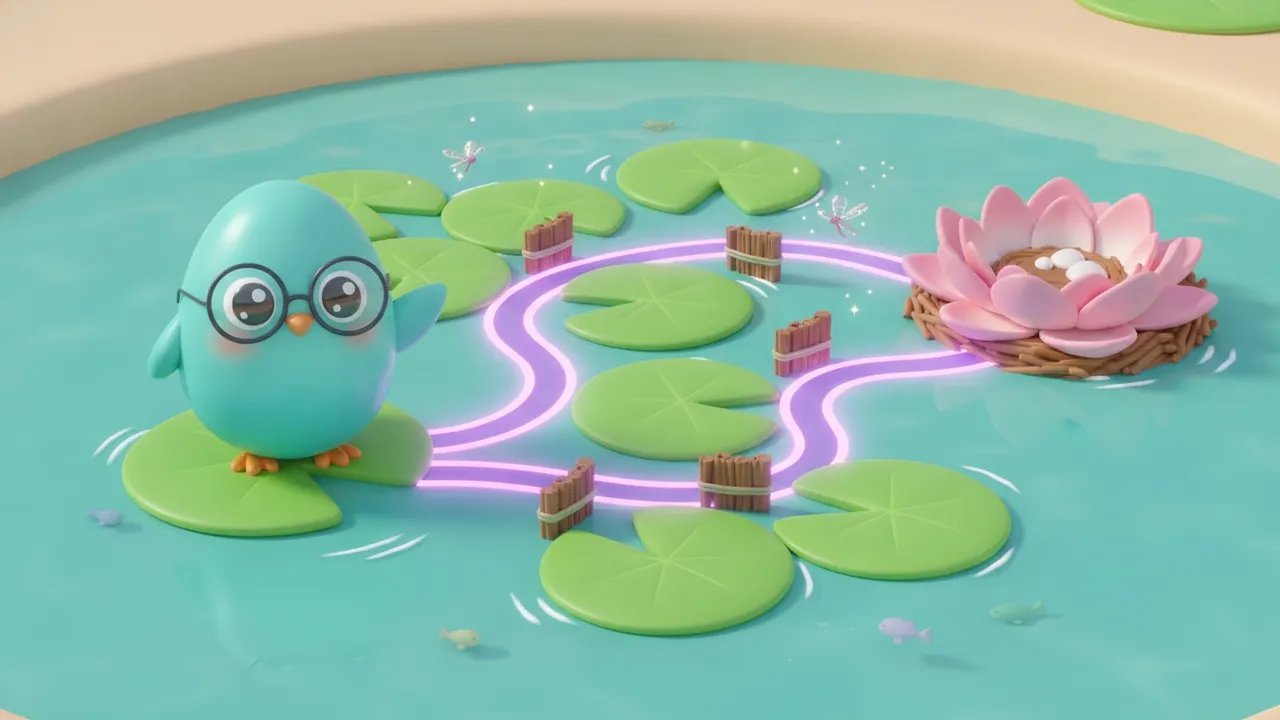
From level 8, some ponds have a pad with a pink lotus flower on it: the lotus nest. It has to be the very last pad of your path. If you try to hop onto it early, the game stops you and reminds you that the nest comes last. From level 30, reed fences appear between some pads. A fence blocks the hop between those two pads, even though they sit side by side, so you have to reach each of them another way. Every 10th level is marked as a hard level: the toughest of five ponds the game makes for that stage, and often a size bigger. Every 5th level in between is a chill level with a gentler, usually smaller pond, a good moment to catch your breath.
Tips to beat the hard levels in Lily Path
Start with the corners. A corner pad has only two neighbours, so plan how your path enters and leaves each one before anything else. Pads next to a water gap behave like corners, so visit them early. If you ever see two pads that have only one free neighbour left, back up now: only one of them can be your last pad. Never cut the pond in two, because if your path splits the open pads into two islands you can only finish one of them. In wide open areas, zig-zag row by row so no pad is left alone. On a nest pond, plan backwards from the nest and work out which pad you must arrive from. Treat a fenced side as if it were water. When you are stuck, drag back just a few hops and try the other turn at the last place you had a choice.
Is Lily Path free, and can you play it on a phone?
Yes. Lily Path is free to play at ovo.games, with nothing to download. It runs in the web browser on phones, tablets and computers, and it is made for a phone held upright. The early levels are free, and OvO Pass, the optional OvO.games membership, unlocks every one of the 300 levels and gives you 500 tokens a month for hints. OvO Pass also removes banners and break ads and hides the optional video on the win card. Stars show how much help you used: three stars without a hint, two with one hint and one with more. Clearing levels earns tokens, so you can save up for a hint on the next hard pond.
| Detail | Lily Path |
|---|---|
| Game type | One-line (one-stroke) logic puzzle |
| Goal | Draw one path from Aqua that visits every lily pad exactly once |
| Moves | Up, down, left or right to a pad next door; no diagonals |
| Touch and mouse | Drag to draw, tap the next pad to hop, drag back or tap an earlier pad to undo |
| Keyboard | Arrow keys hop, Backspace or Z undoes, R restarts |
| Undo and Restart | Free, as often as you like |
| Hint | 10 tokens: cuts back to a path that still works and hops one correct pad |
| Stars | 3 with no hint, 2 with one hint, 1 with more |
| Lotus nest | Must be the last pad (from level 8) |
| Reed fences | Block the hop between two pads (from level 30) |
| Levels | 300 ponds, from 6 pads up to a 7 by 9 grid |
| Where to play | Web browser on phone, tablet or computer |
Watch
Lily Path gameplay
28 seconds of Lily Path on a phone: a path is drawn across the level 8 pond, Aqua hops along it to clear the pond, and the next pond starts on level 9.
▶ 28 sec
Questions
How do you play Lily Path?
Drag from Aqua to a pad right next to her and keep hopping up, down, left or right until every pad is visited once. Drag back, tap an earlier pad or press Undo to change your route.
How do you beat hard levels in Lily Path?
Plan the corners and the pads next to water first, never split the open pads into two islands, and plan nest ponds backwards from the nest. If you get stuck, drag back a few hops and try the other turn.
Is Lily Path free?
Yes. Lily Path is free in the browser at ovo.games. OvO Pass, the optional membership, unlocks every level and removes banners and break ads.
Can you play Lily Path on a phone?
Yes. It runs in the web browser on phones and tablets with no download, and it plays best with the phone held upright.
Can you lose in Lily Path?
No. There is no timer and no lives, and Undo and Restart are free. A hint costs tokens and lowers your stars, but it never ends the level.
What does a hint do in Lily Path?
A hint costs 10 tokens. It cuts your path back only as far as needed, keeps every hop that can still work and then hops one correct pad.
 Pipe Peeps
 Pixel Hatch
 Gate Jam