


How to Play Nest Mahjong: Rules, Controls and Tips
Updated 5 min read
Quick answer
To play Nest Mahjong, tap two free egg tiles that show the same OvO and they fly off the board. A tile is free when nothing lies on top of it and its left or right side is open. Clear every tile to finish the nest. There is no timer, so you can plan each pair.

Nest Mahjong is a calm mahjong solitaire game on ovo.games where every tile is an egg with a painted OvO on its face, and Matcha, the tea-loving OvO, cheers you on. This guide covers the rules, every control, how stars and helpers work, and a few habits that make the hard levels much easier.
On this page
What are the rules of Nest Mahjong?
Each level is a nest of egg tiles stacked in up to five layers. Every tile shows one OvO, and each OvO appears an even number of times. Your goal is to clear the whole nest by matching tiles in pairs. You can only pick a free tile: nothing may lie on top of it, and its left side or its right side must be open. Tiles you cannot pick yet look darker, so the free ones stand out. The top bar shows how many tiles are left and how many matches you can make right now. When that matches number turns red, only one pair is left to take, so look before you tap. Clear the last pair and Matcha says the nest is clear. If no pair is left at all, a card offers Shuffle, Undo last pair, Restart or a trip back to the games list.
How to play Nest Mahjong step by step
Here is one nest from level 8 on a phone, from the first pair to the last few tiles. The routine is the same on every level: look for two free tiles with the same OvO, take the pair that opens up the most tiles, and keep an eye on the matches counter in the top bar. Each pair you clear can free the tiles beside it or under it, so the board changes after every move and new pairs keep showing up.
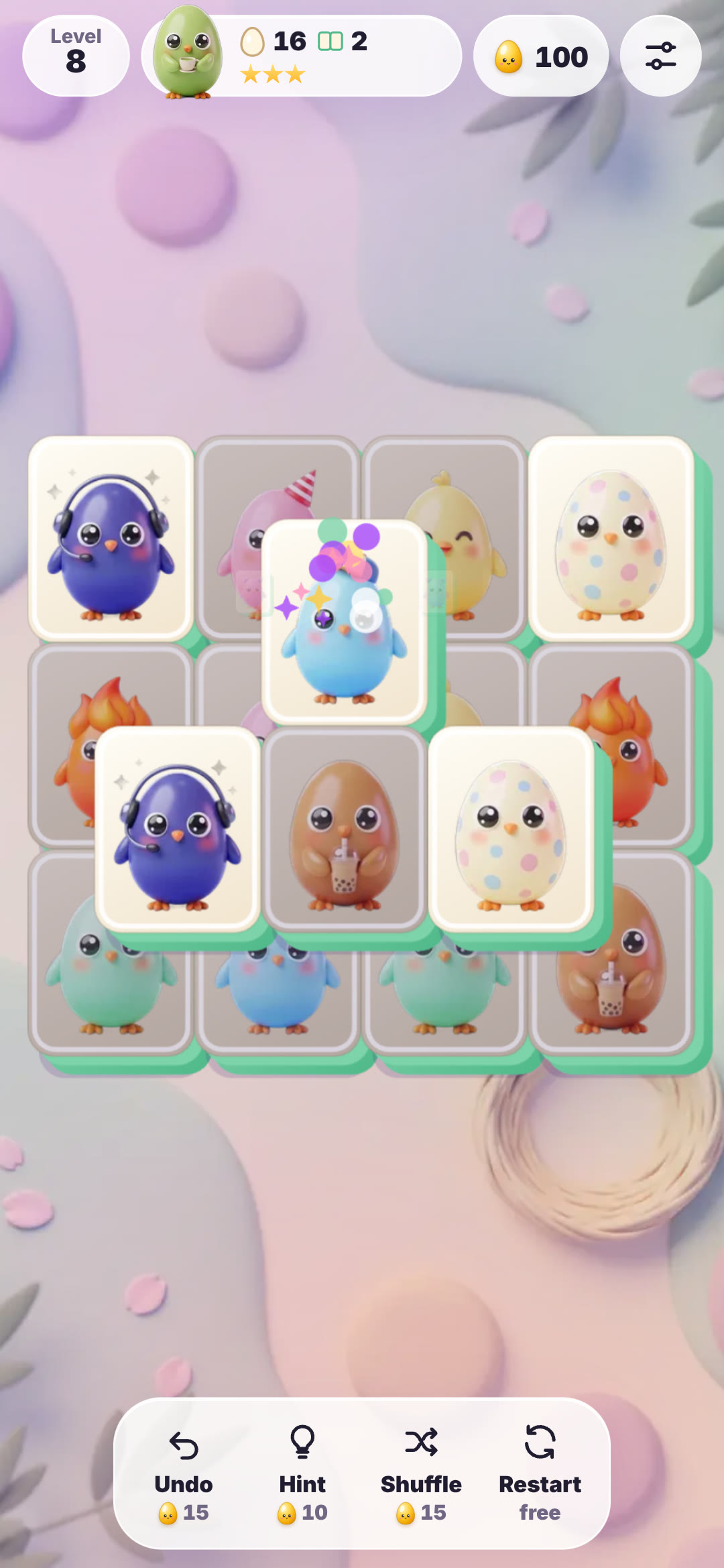 Step 1: Find two free tiles with the same OvO. Free tiles are bright; tiles under another tile or boxed in on both sides look darker. Here 16 tiles are left and 2 matches are open.
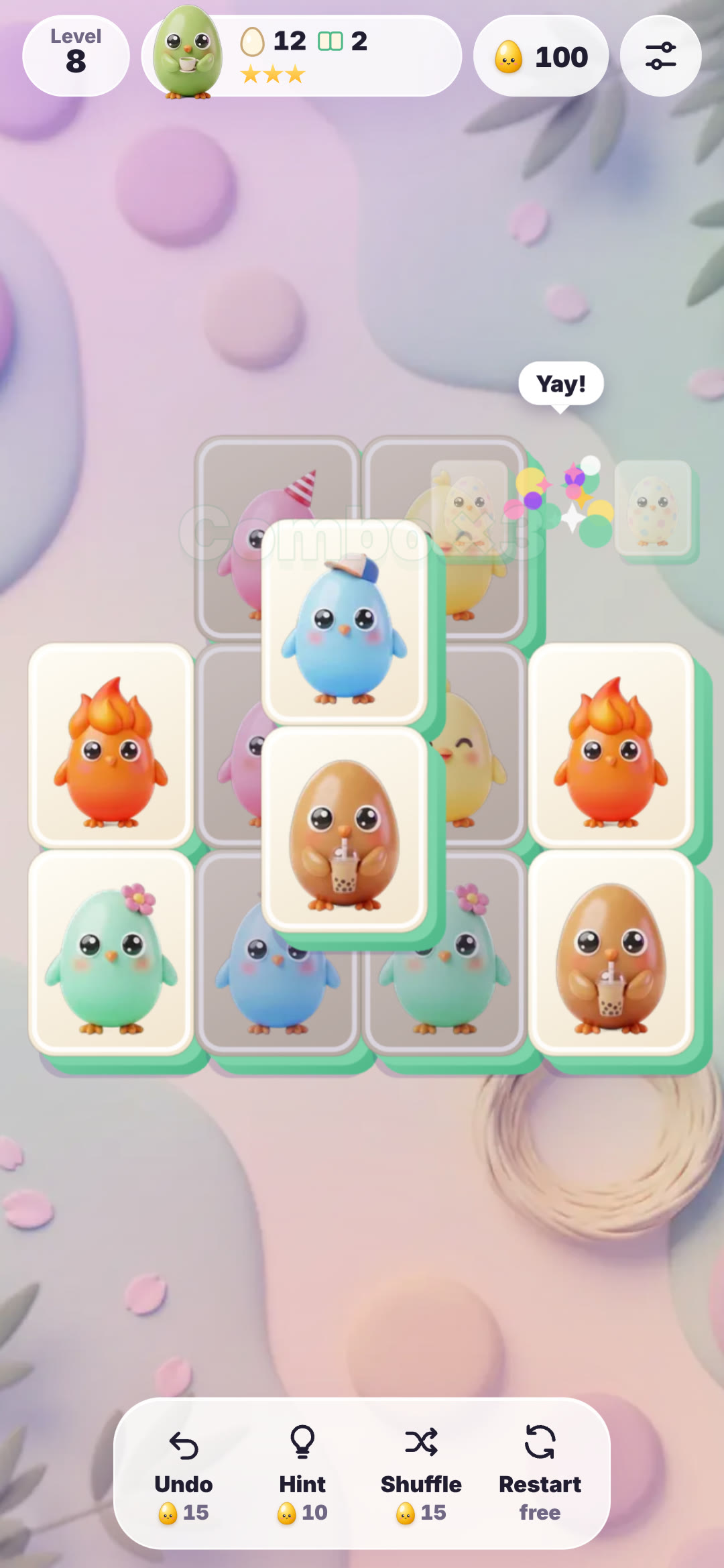 Step 2: Tap the first tile, then the second. The pair flies up and pops, and an OvO may cheer "Yay!". Tap a blocked tile and it shakes and tells you why: a tile lies on top of it, or its sides are closed.
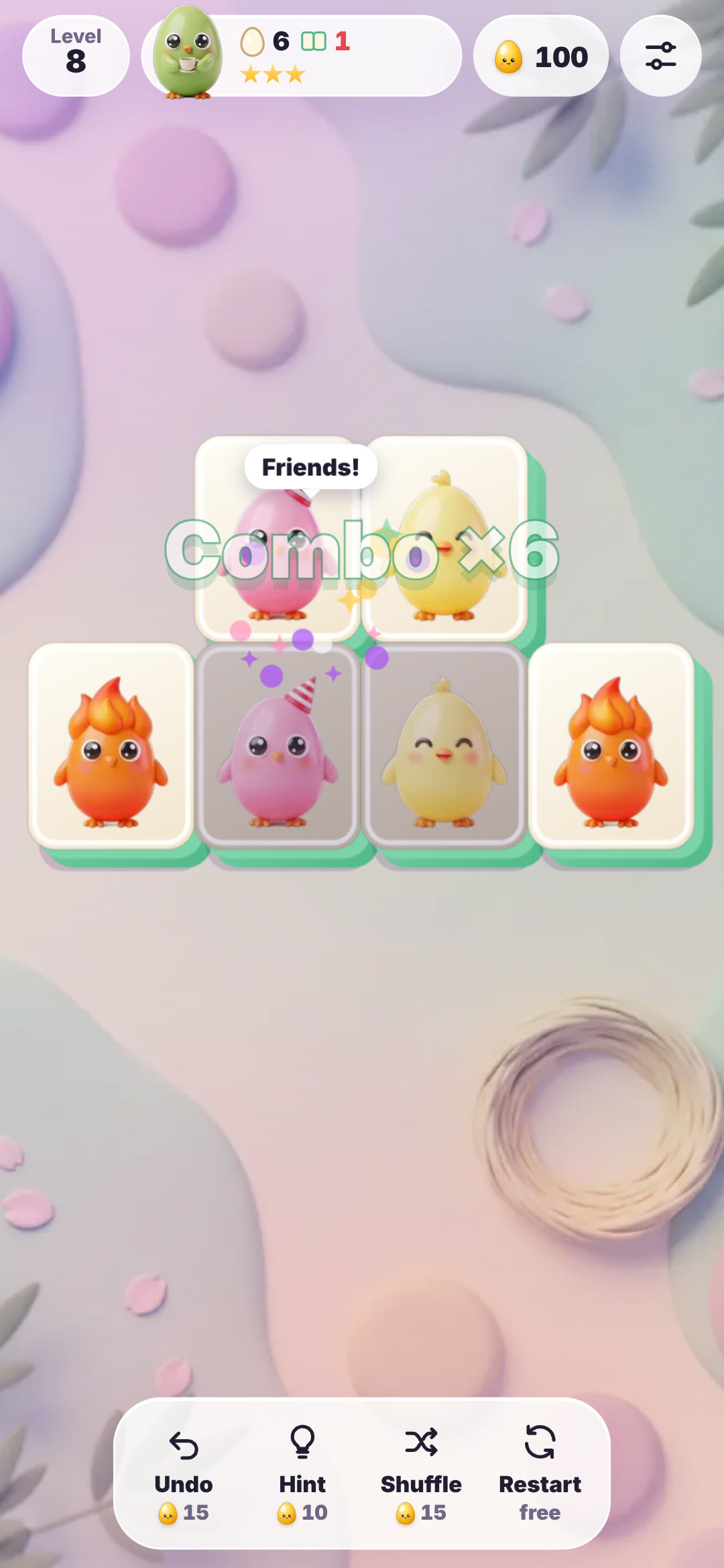 Step 3: Keep going. Pairs made within about four seconds of each other build a combo, and from three in a row a combo banner appears. Clear the last tiles and the nest is done.
Controls on phone, mouse and keyboard
On a phone or tablet, tap a free tile to pick it. It lifts with a violet glow and its OvO hops. Then tap a free tile with the same OvO to match them. With a mouse, click the same way. On a keyboard, the arrow keys move to the nearest tile in that direction, Enter or Space picks it, U or Z undoes the last pair and H asks for a hint. Settings has two options that help a lot on big nests. Shapes on tiles adds a small symbol to every OvO, so pairs are easy to spot even when two faces look alike. Dim blocked tiles is on from the start and darkens the tiles you cannot pick yet. Nest Mahjong is made for portrait play; on a phone held sideways, big nests show a tip to turn it upright for bigger tiles.
Hint, Undo, Shuffle and stars
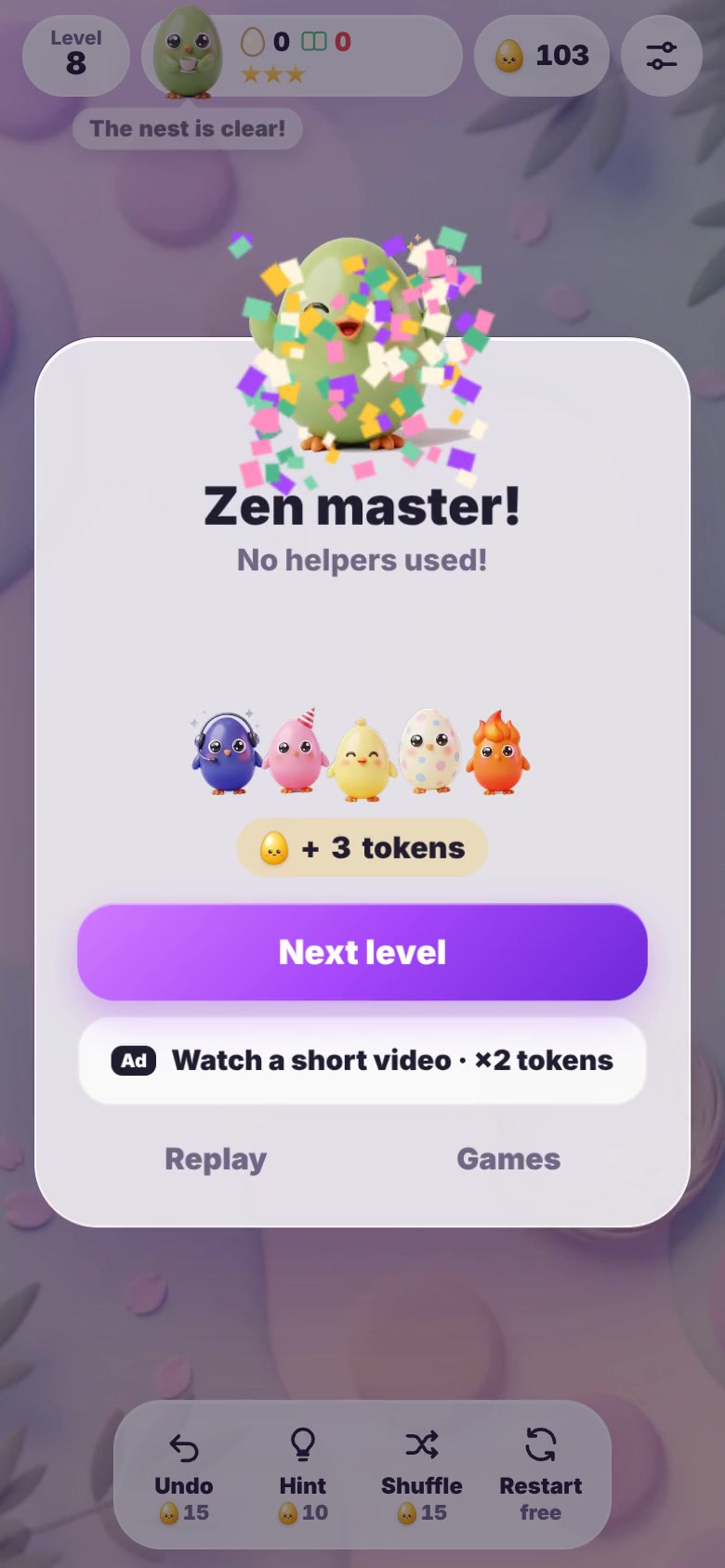
The dock has four buttons. Hint costs 10 tokens and shows a safe matching pair. Undo costs 15 tokens and puts your last pair back. Shuffle costs 15 tokens and mixes the tiles that are left so the nest can be solved again. Restart is free. Stars depend on helpers: clear a nest with no hint, undo or shuffle for three stars, use up to two helpers for two stars, more than that for one. The three stars in the top bar dim as soon as you use a helper, so you always know where you stand. A clean clear earns the Zen master! card and tokens.
Tips to beat hard levels in Nest Mahjong
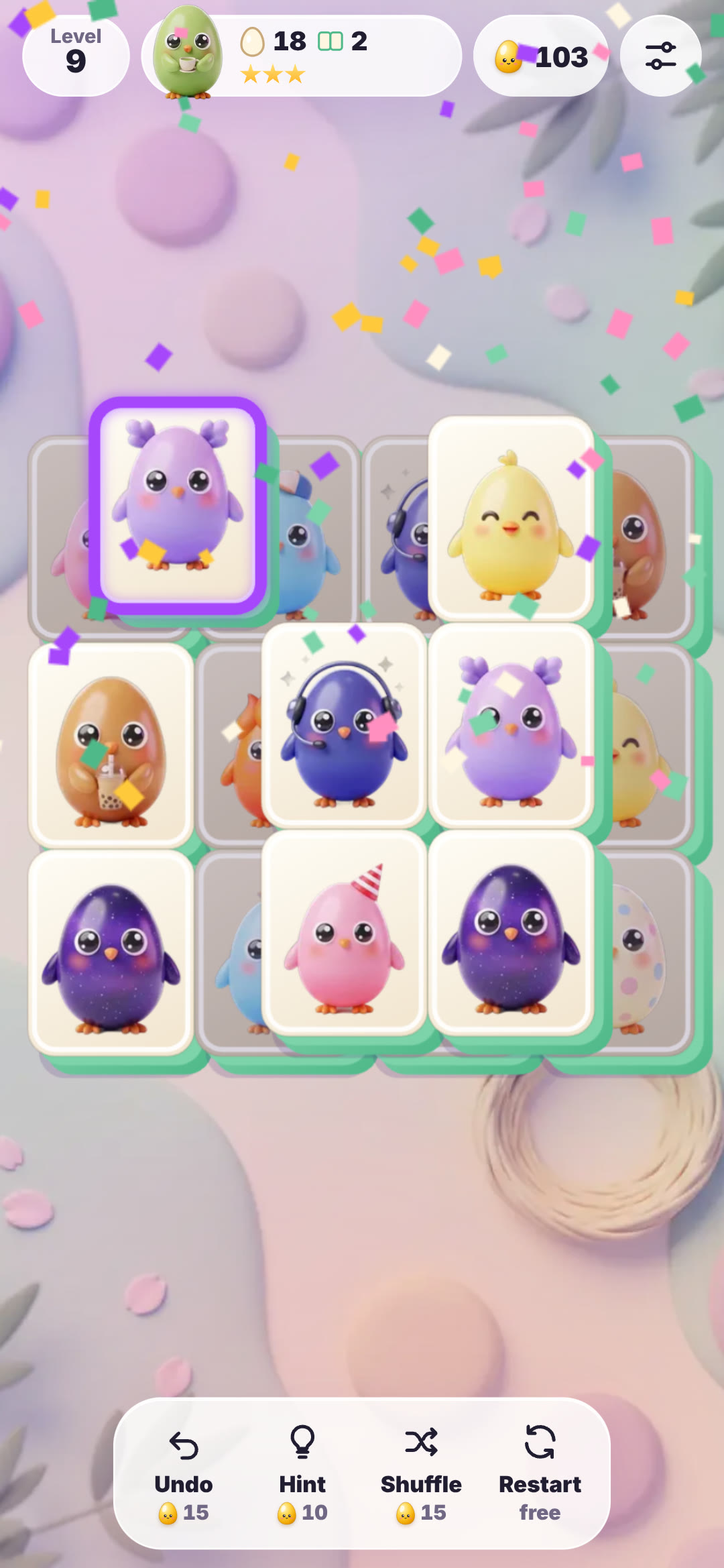
From level 20, every 10th level is marked HARD, a bigger stack that takes more care, and the other levels ending in 5 or 0 are lighter CHILL nests. The traps come from OvOs that appear four or six times, where the wrong pair can bury the copy you need. The habits that help most: clear the top layers first, because a tile lying on top blocks everything under it. Work from the edges, since tiles at the ends of a row open up the ones next to them. When three copies of one OvO are free, pick the pair that frees the most new tiles and keep the third for later. When all copies of an OvO are free, match them whenever you like, because they cannot trap you. Watch the matches counter: when it gets low, think a pair ahead. If you are stuck, Hint before Shuffle keeps your nest the way you built it.
Is Nest Mahjong free and can you play it on a phone?
Yes. Nest Mahjong is free to play at ovo.games in the browser on a phone, tablet or computer, with nothing to install. The first 40 levels are free, and OvO Pass unlocks all 300. The first levels are gentle: each OvO appears only twice, so you cannot get stuck while you learn the free tile rule. Nests then grow from about a dozen tiles to towering hearts, butterflies and nests of more than a hundred tiles. The game is in English, Vietnamese, Japanese, Chinese and Korean.
| Feature | Nest Mahjong |
|---|---|
| Type | Mahjong solitaire with egg tiles |
| Goal | Clear every tile by matching pairs of the same OvO |
| Free tile | Nothing on top, left or right side open |
| Levels | 300, up to 5 layers; HARD every 10th from level 20, CHILL on the other 5s and 10s |
| Free levels | First 40; OvO Pass unlocks all |
| Touch and mouse | Tap or click two free matching tiles |
| Keyboard | Arrow keys, Enter or Space, U or Z undo, H hint |
| Helpers | Hint 10 tokens, Undo 15, Shuffle 15, Restart free |
| Stars | 3 with no helpers, 2 with up to two, else 1 |
| Timer | None |
| Coach OvO | Matcha |
Watch
Nest Mahjong gameplay
28 seconds of Nest Mahjong on a phone: level 8 with combos up to x9, the Zen master! win card, then the start of level 9.
▶ 28 sec
Questions
How do you play Nest Mahjong?
Tap two free egg tiles that show the same OvO to clear them. A tile is free when nothing lies on it and its left or right side is open. Clear every tile to win the level.
How do you beat hard levels in Nest Mahjong?
Clear the top layers and the row ends first, and when three copies of an OvO are free, take the pair that opens the most tiles. Watch the matches counter and use Hint before you get stuck.
Is Nest Mahjong free?
Yes. It is free at ovo.games, the first 40 levels are free, and OvO Pass unlocks all 300.
Can you play Nest Mahjong on a phone?
Yes. Open ovo.games in your phone browser and hold the phone upright. Tap a free tile, then its match.
What happens when there are no matches left?
A card lets you Shuffle the tiles that are left, undo your last pair, restart the level for free or go back to the games list.
Is there a timer in Nest Mahjong?
No. There is no timer, so you can take as long as you like. Quick pairs only add to your combo.
 Tile Trio
 Feather Solitaire
 Peep Pop 2