


How to play Hush Hill
Updated 6 min read
Quick answer
To play Hush Hill, pick a place, tap a glowing cushion to sit and simply stay a while. Drag to look around, tap Breathe to follow a slow breath, release a wish lantern and crack a daily egg fortune. There is no chat, no timer and no level to beat: quiet minutes grow your OvO’s title.
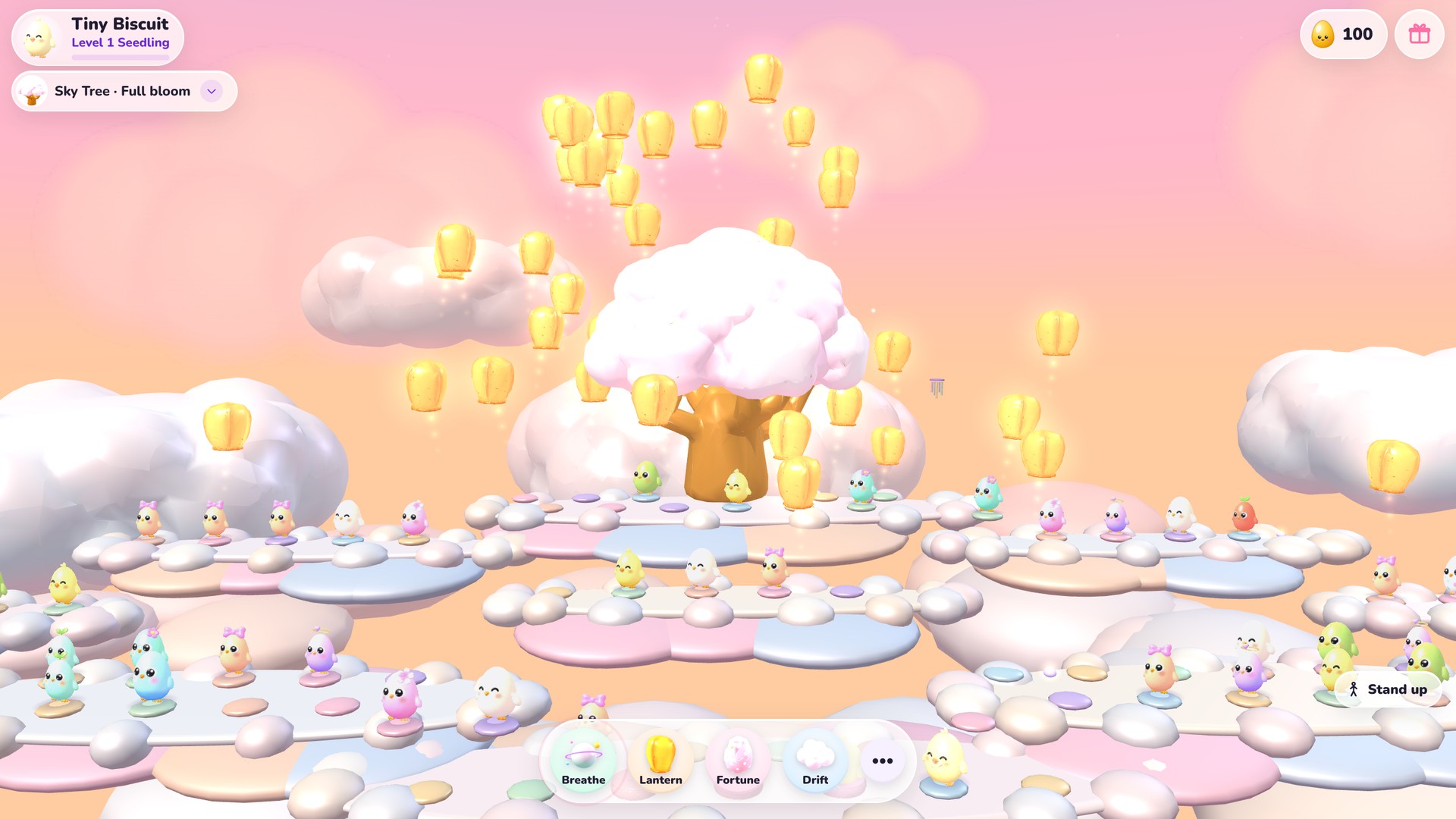
Hush Hill is a calm relax game on OvO.games, released on November 2, 2026. You don’t race, solve or win anything here. You choose a cozy place, find a cushion and sit with up to 100 OvOs. For now the other OvOs are friendly computer-played Hill friends, and the game says so openly: real players are coming soon. It is free to play in the web browser on a phone, tablet or computer. This guide covers the first steps, the controls, the five places, the soft gestures that replace chat and how your OvO grows over time.
On this page
Are there hard levels to beat in Hush Hill?
No. Hush Hill has no levels, no timer and no way to lose, so there is nothing hard to get past. The level in the top corner, such as Level 1 Seedling, belongs to your OvO. It goes up with quiet minutes, which count while you sit and while the Focus timer runs. Level 2 comes after 3 quiet minutes and level 3 after 12. Your title moves from Seedling to Sprout at 30 quiet minutes in total, then Bloom at 120, Willow at 360 and Moonlight at 900. Each place also has a heart, like the Sky Tree on Cloud Steps, that blooms in five stages from Asleep to Full bloom as everyone sits. Sit for 5 quiet minutes in a day to keep a calm streak going, with badges at 3, 7 and 30 days.
How to play Hush Hill, step by step
Your first visit walks you through five small steps after the name reveal, and each one is done simply by doing it. A mint check pops up and the next step appears right away. You can skip any step, and Settings has Replay tutorial if you want to see it again. On a phone you play with your finger; on a computer, with the mouse.
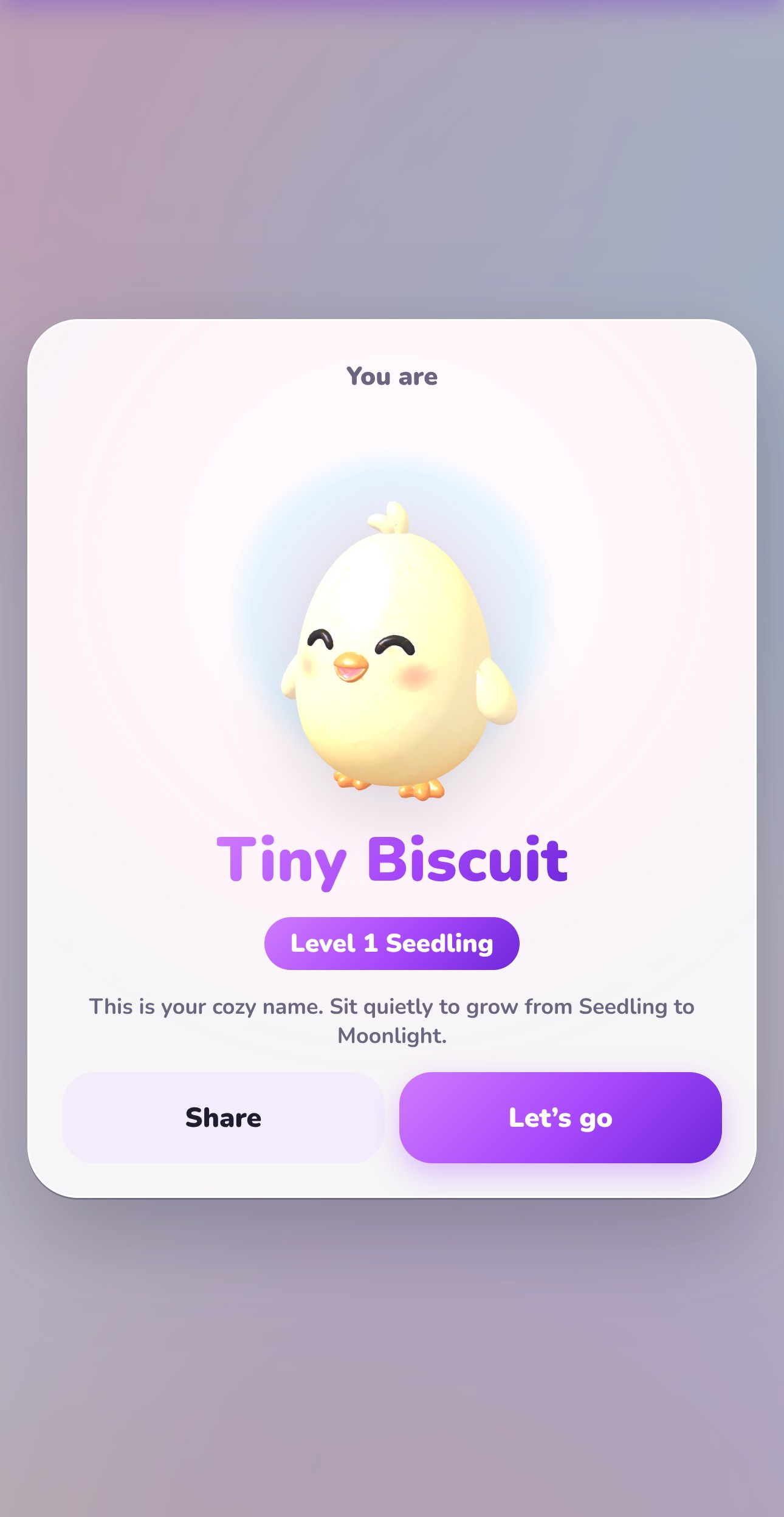 Step 1: Meet your OvO. On your first visit the game gives you a cozy name, such as Tiny Biscuit, and shows your OvO at Level 1 Seedling. Tap Let’s go, then pick a place and tap Join.
- Step 2: Drag anywhere to look around. One finger or the mouse turns the camera all the way round your OvO, and a pinch or the mouse wheel zooms in and out. Double-tap to look from behind your OvO again.
- Step 3: Tap a glowing cushion to sit. Tap empty ground to walk there instead, and use the Stand up button when you want to move. Quiet minutes start counting once you are seated.
- Step 4: Tap Breathe and follow one slow breath. A ring grows around your OvO while you breathe in for 4 and shrinks while you breathe out for 6, and petals drift out on the exhale.
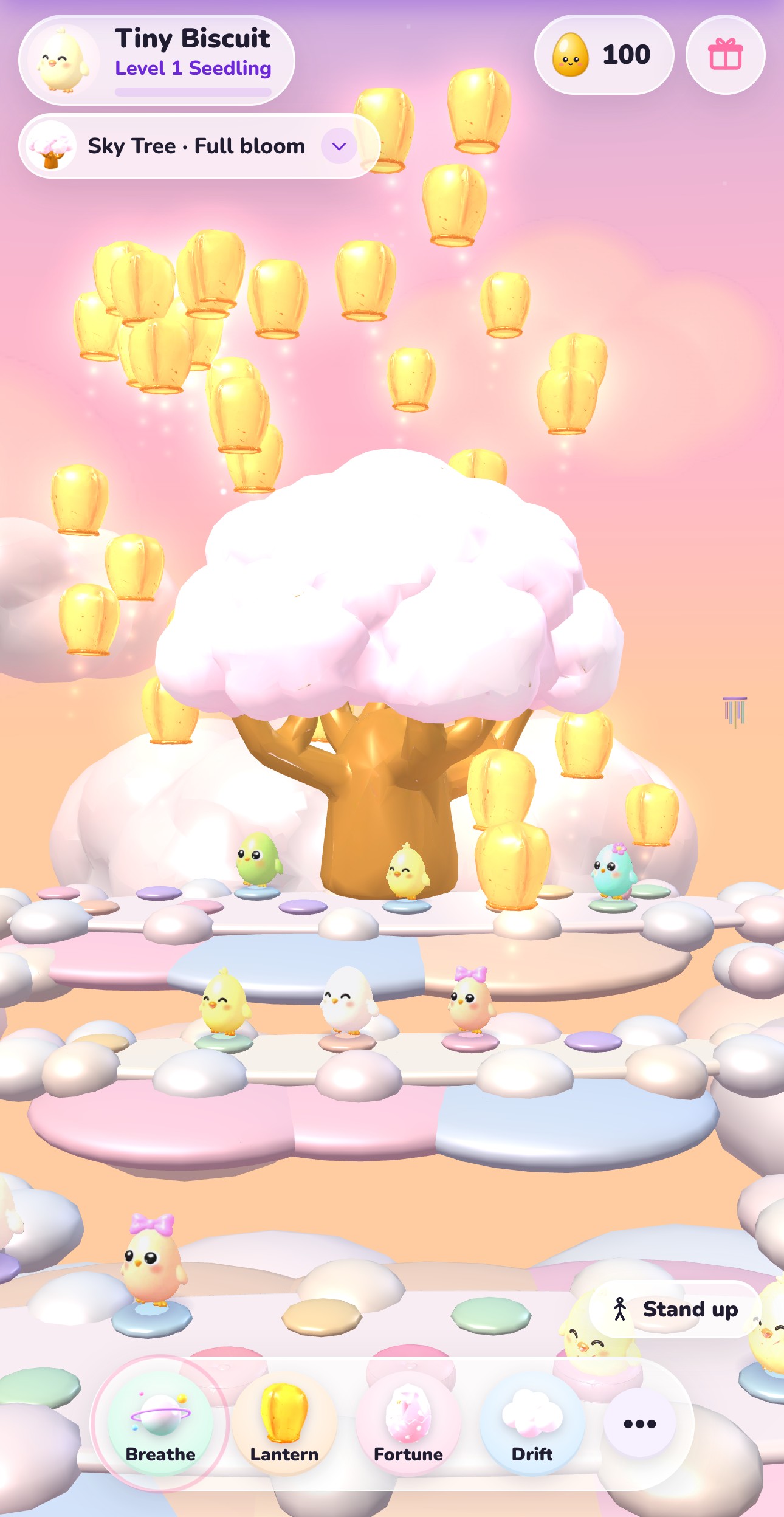 Step 5: Tap Lantern, pick one of the wishes and release it. Your first lantern each day is free, and it rises over the place with everyone else’s.
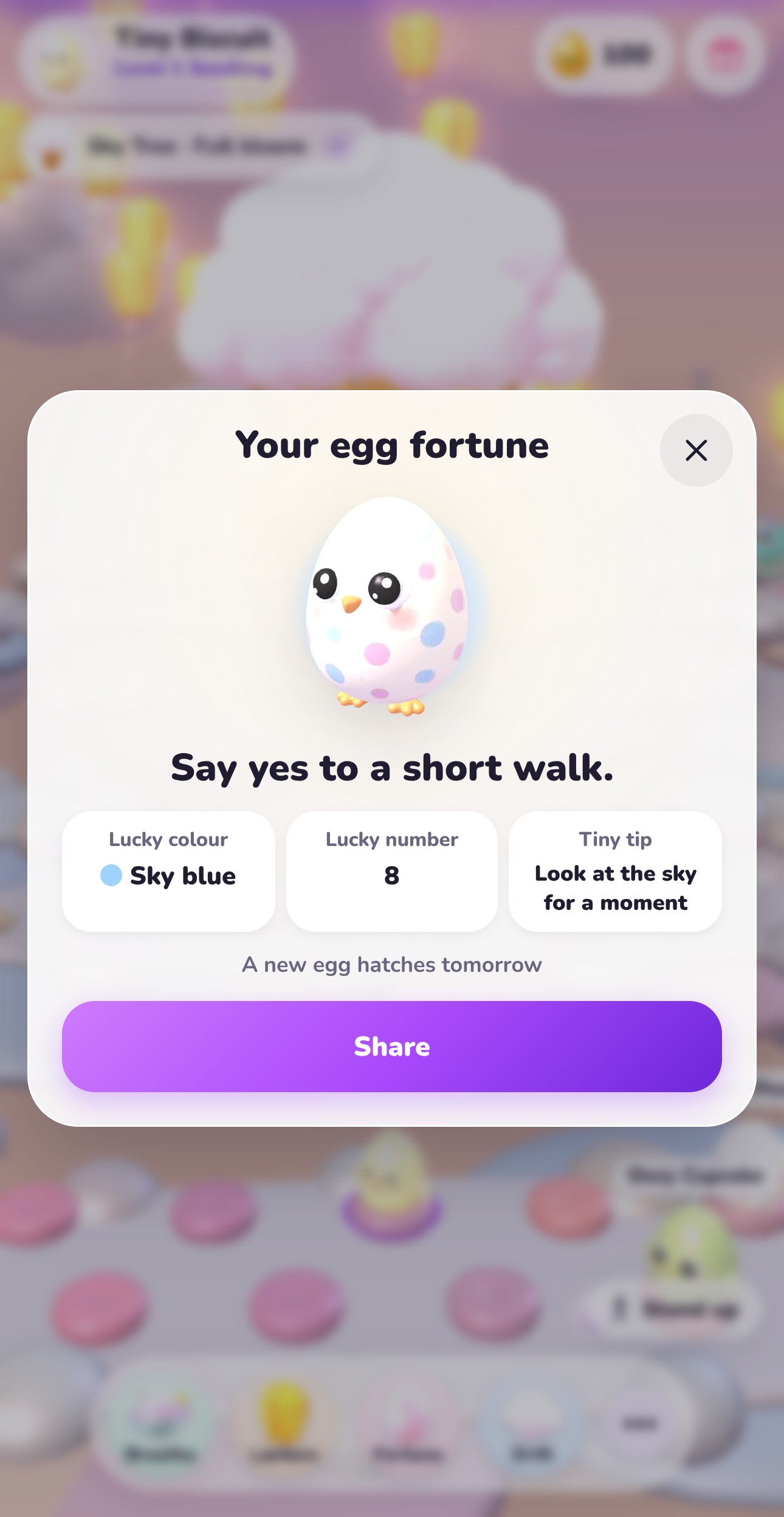 Step 6: Tap Fortune and crack today’s egg. The card shows a short lucky line, a lucky colour, a lucky number and a tiny tip. One egg a day: a new egg hatches tomorrow.
The places in Hush Hill and what you do there
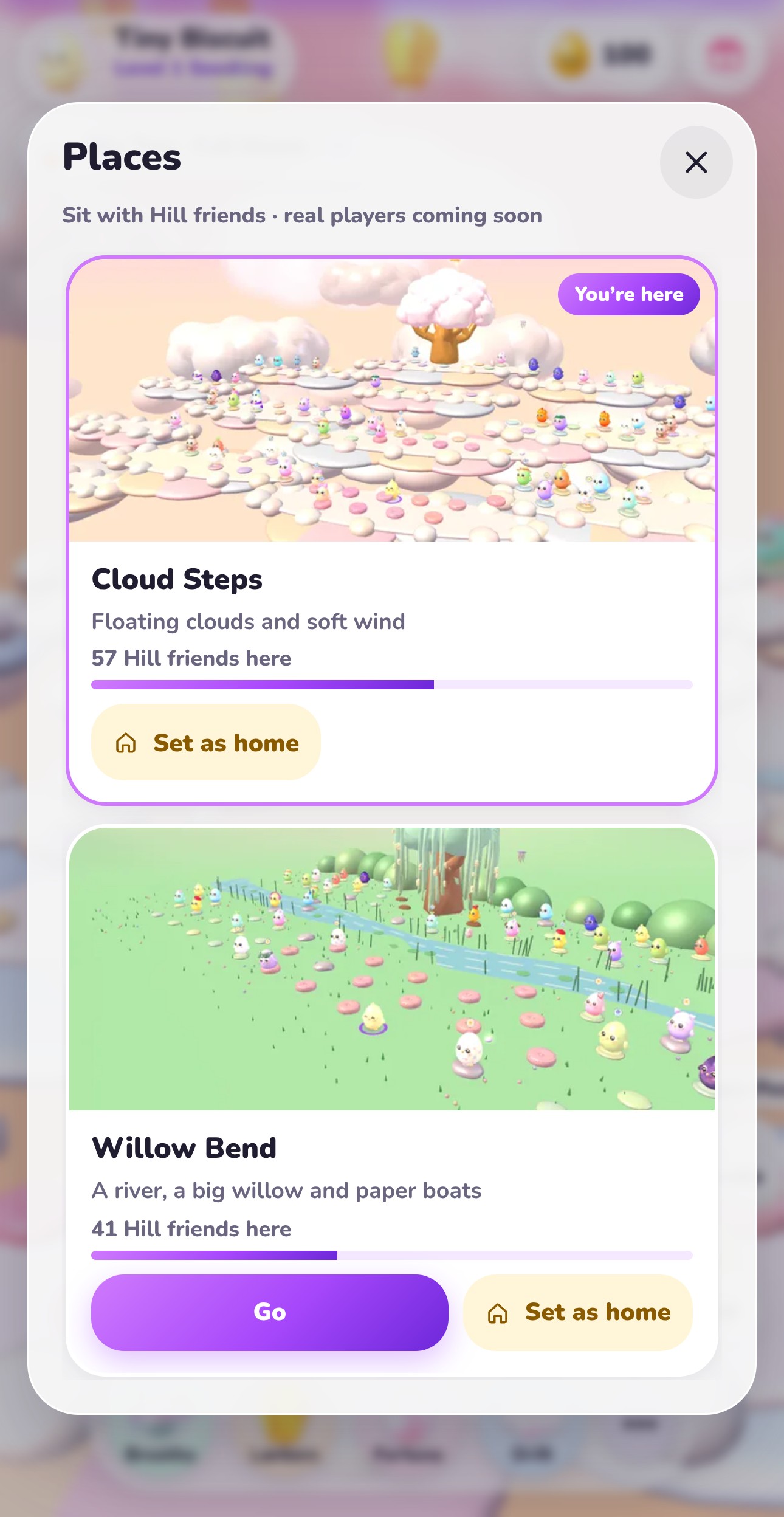
Tap the place chip at the top, or More and then Places, to open the Places sheet. Each card shows a preview, a short line about the place, how many Hill friends are sitting there and a Go button. Set as home makes a place your starting point next time. Cloud Steps has floating clouds and soft wind, and its action is Drift: your cloud bobs and floats for a little while. Willow Bend has a river and a big willow, and you can float a paper boat downstream. Moss Garden has mossy stones, koi and gentle rain. Tap Rake and your OvO walks to the sand garden, then drag on the sand to draw lines that fade after 10 minutes. Every place has its own music and nature sounds, and Settings has one slider for Music and one for Nature sounds.
How do you talk to other OvOs without chat?
There is no chat and no free text anywhere in Hush Hill. Tap an OvO to open its card, then send a Wave, a Heart or a Snack, one gesture every 3 seconds. The card tells you when an OvO is a Hill friend, a friendly computer OvO. If you would rather be left alone, tap Hide and its gestures stop. Under More you can leave a kind stone: pick one of 10 gentle phrases, such as Rest well, and the stone glows near you for 24 hours. You can leave one every 10 minutes and keep up to 3 glowing at once. Tap any stone to read it and send a heart back. Once a day the game also asks How are you today? Choose Sunny, Cloudy or Rainy, or Skip. A tiny icon shows over your OvO, and the sky follows the mood of the place. When enough OvOs feel rainy, a rainbow appears for them.
Lantern Rise and Snow Hut with OvO Pass
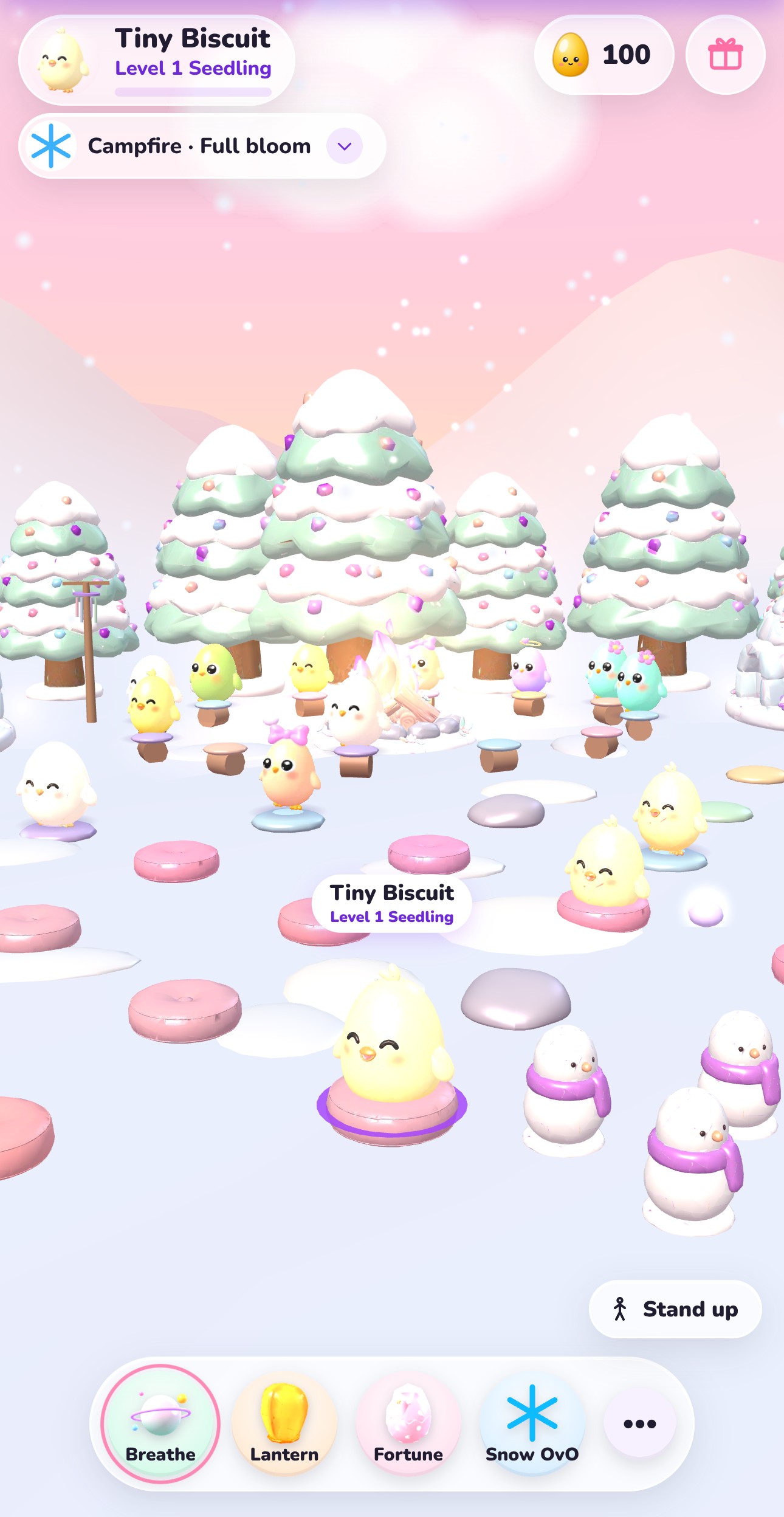
Cloud Steps, Willow Bend and Moss Garden are free for everyone. Lantern Rise and Snow Hut come with OvO Pass, and without it you can still watch a 20-second preview of each one. Lantern Rise is a dusk hillside with paper-lantern posts, a stone stair and a glowing Lantern Tree as its heart. Its action walks you to the nearest dark lantern post and lights it, and the post glows for 20 minutes. Snow Hut is a snowy clearing with round huts, pastel pines and a warm campfire as its heart, with gentle snow falling. Its action makes a little snow OvO right next to you. OvO Pass also gives you 500 tokens a month.
Tips for a calm session in Hush Hill
Sit down before anything else, because quiet minutes only count while you are seated or the Focus timer is running. Breathe with the room: when three or more OvOs breathe in the same rhythm, the heart of the place glows, and breathing together helps it grow faster. Light a lantern for someone; while it floats for 15 minutes, Hill friends can send light to it. Extra lanterns after the free one cost 20 tokens where your OvO host offers them. Where your OvO host supports it, quiet time also earns tokens: 1 for every 5 quiet minutes, up to 12 a day. Try Photo under More to hide the buttons and save a quiet picture of your OvO, or the Focus timer for a set stretch that ends with a soft bell.
| Detail | Hush Hill |
|---|---|
| Game type | Calm relax game: sit together with OvOs |
| Released | November 2, 2026 |
| Levels | None; your OvO’s level and title grow with quiet minutes |
| Titles | Seedling, Sprout, Bloom, Willow, Moonlight |
| Free places | Cloud Steps, Willow Bend, Moss Garden |
| OvO Pass places | Lantern Rise, Snow Hut (20-second preview without Pass) |
| OvOs per place | Up to 100; the others are computer-played Hill friends for now |
| Talking | No chat: Wave, Heart, Snack and kind stones |
| Every day | 1 free wish lantern and 1 egg fortune |
| Place actions | Drift, paper boat, rake, light a lantern post, make a snow OvO |
| Tokens | 1 per 5 quiet minutes, up to 12 a day, where your OvO host supports it |
| Controls | Tap to sit or walk, drag to look, pinch or mouse wheel to zoom |
| Where to play | Web browser on phone, tablet or computer |
Watch
Hush Hill gameplay
30 seconds of Hush Hill on a phone: meeting your OvO, finding a cushion on Cloud Steps, breathing together, a wish lantern rising at dusk, the egg fortune and a peek at Lantern Rise.
▶ 30 sec
Questions
How do you play Hush Hill?
Pick a place, tap a glowing cushion to sit and stay a while. Breathe with the glowing ring, release a wish lantern, crack your daily egg fortune and greet other OvOs with a wave, a heart or a snack.
How do you beat hard levels in Hush Hill?
There are none. Hush Hill has no levels, timer or score to beat; the level next to your name grows with quiet minutes, from Seedling up to Moonlight.
Is Hush Hill free?
Yes. Hush Hill is free to play on ovo.games, and Cloud Steps, Willow Bend and Moss Garden are open to everyone. Lantern Rise and Snow Hut come with OvO Pass.
Can you play Hush Hill on a phone?
Yes. It runs in the web browser on phones and tablets as well as computers, upright or sideways. You tap to sit and drag a finger to look around.
Are the other OvOs in Hush Hill real players?
Not yet. The other OvOs are friendly computer-played Hill friends, and the game marks them that way. It says real players are coming soon.
Can you chat in Hush Hill?
No. There is no chat or free text. You can wave, send a heart, share a snack or leave a kind stone with one of 10 gentle phrases.
 OvO Pet
 Clean Up ASMR
 OvO Island