
Match 3 games free download for PC: skip the installer and play four in your browser
Updated 6 min read
Quick answer
Looking for match 3 games free download for PC? At OvO.games you can skip the download. Peep Pop 2, Tile Trio, Hexa Nest and Egg Drop play free in the browser on a Windows PC or a Mac at ovo.games, with nothing to install and no account needed. There is no PC app; the browser is the whole setup.
Most searches for a free match 3 game on PC end at a download page, an installer and a few extra checkboxes. The four OvO matching games below take a different route: they open in a browser tab at ovo.games and start on level 1 as a guest. Here is what each one plays like with a mouse and keyboard, what is free, how ads work and why a browser game is the safer pick for an older PC.
On this page
Can you download match 3 games for a Windows PC for free?
You don't need to. OvO.games has no Windows or Mac app to download, and none is needed: every game runs inside the web page. Open ovo.games in Chrome, Edge, Firefox or Safari on Windows 10, Windows 11 or a Mac, pick a game and click play. Nothing is installed, so there is no setup file and nothing to uninstall later. You can start as a guest and your progress stays on that device. If you sign in with Apple or Google, it follows you to your phone and back. The OvO.games app does exist on Android through Google Play, and on Solana Seeker phones through the Solana dApp Store; the official links are on ovo.games/download, where the iPhone and iPad app is still marked coming soon. Offline play is not something we promise, so keep a connection when you start a game.
Peep Pop 2: the classic swap match 3 on a wide screen
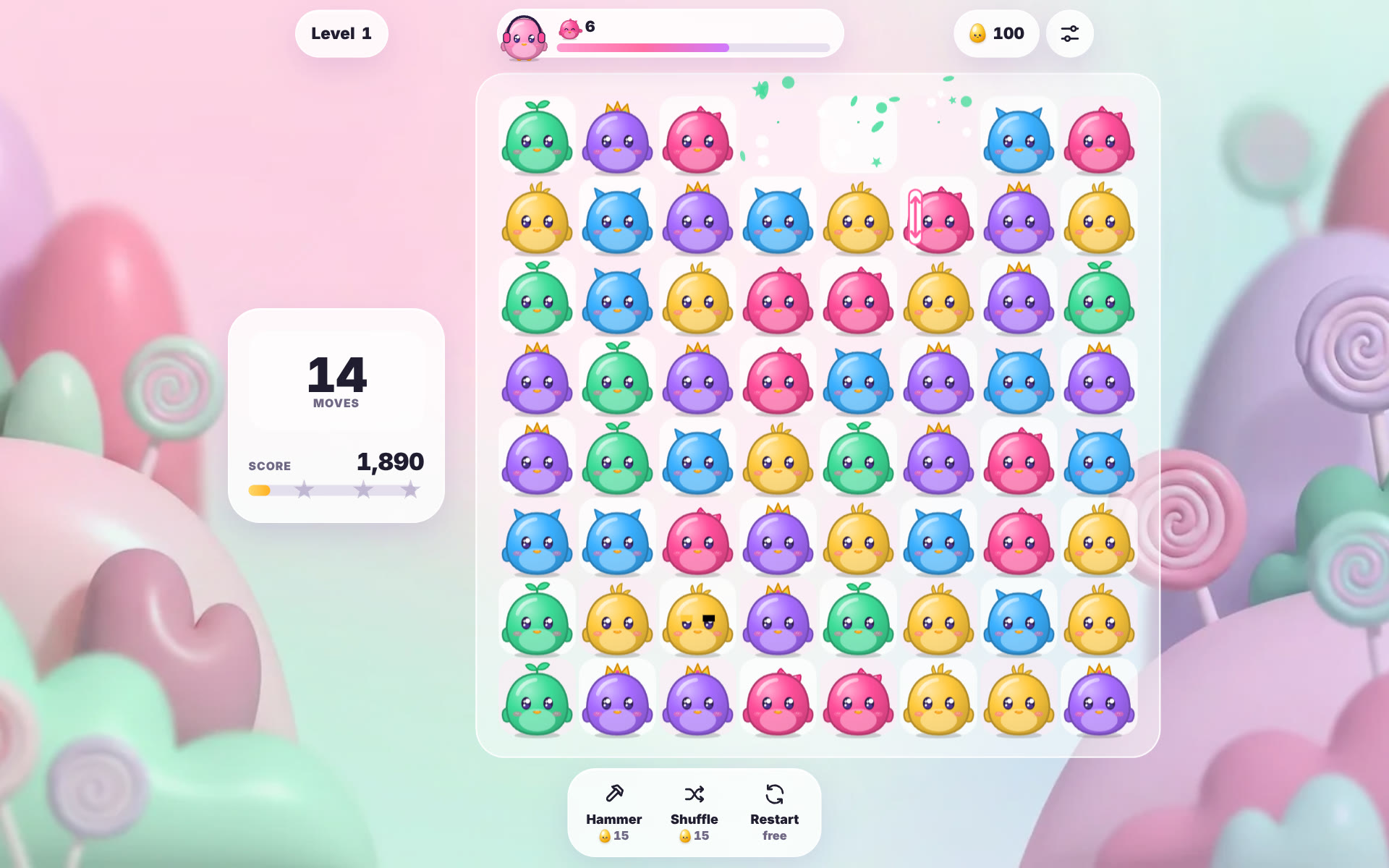
Peep Pop 2 is the pick if you want classic match 3. Every piece is a living OvO. Swap two neighbours to line up three or more of a colour. Four in a line make a rocket, an L or T shape makes a bomb, five in a line make a rainbow egg, and swapping two power-ups together sets off a bigger combo. Each level gives you a set number of moves and one or two goals: collect a colour, crack ice or free OvOs trapped in bubbles. On a PC you can drag with the mouse, click one OvO and then a neighbour, or move with the arrow keys and press Enter or Space. If no move is left, the board reshuffles for free. Stars from each level grow a little garden. There are 300 levels, Hammer and Shuffle cost tokens, and Restart is free.
Tile Trio: tile matching with a seven-slot tray
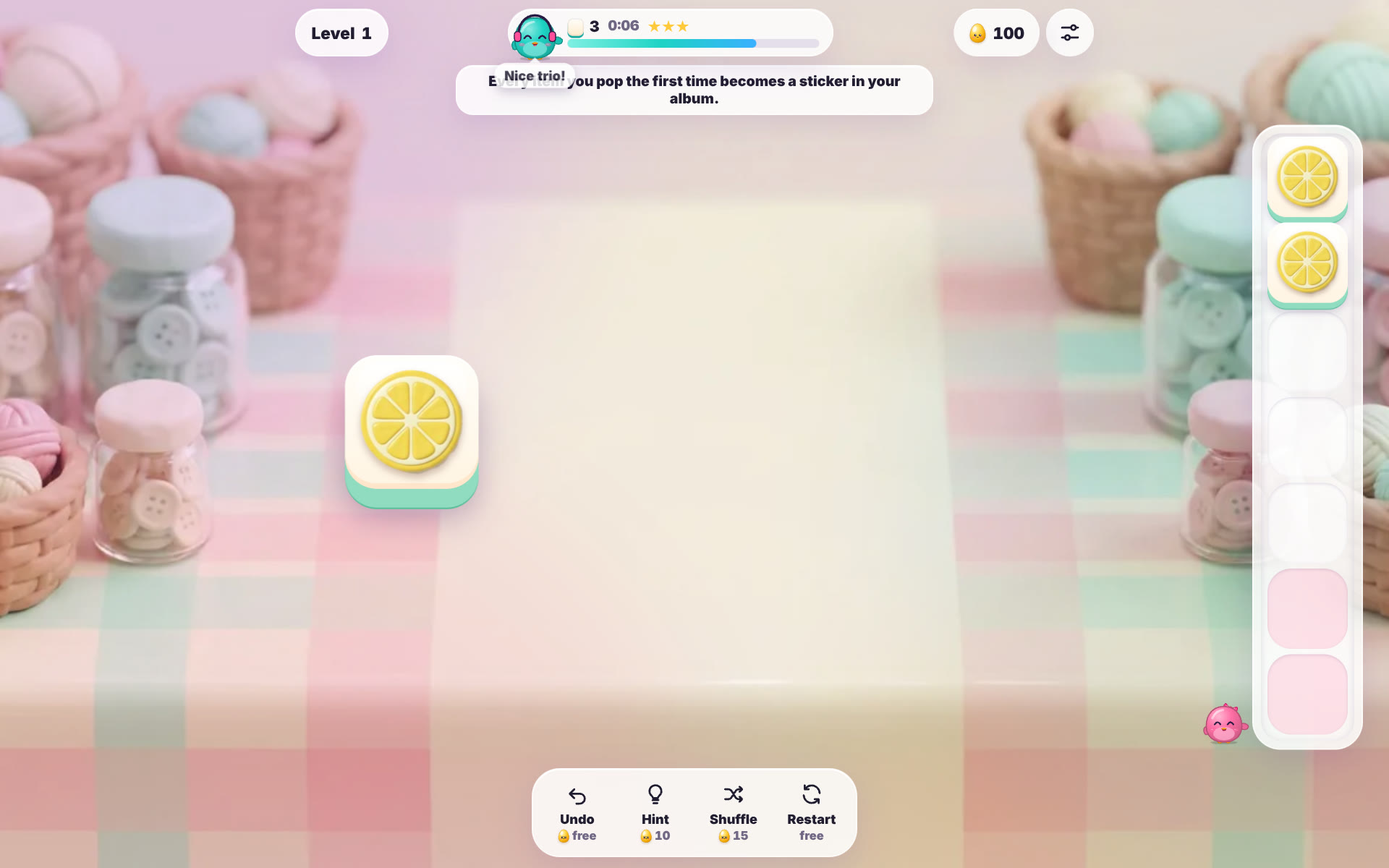
Tile Trio is matching without swapping. Tiles with fruit, sweets, toys and charms are piled in layers. Click a bright tile that nothing covers and it flies into a tray with seven slots. Three of the same kind in the tray pop, and an OvO hops out of the burst. Clear the board to win; if the tray fills up with no trio, the level ends. So the skill is reading which tiles you will free next, not speed. A small timer sets your stars, but it never ends a level. On a wide screen the tray stands in a column beside the board, and a tile with keyboard focus also takes Enter or Space. Every item you pop for the first time becomes a sticker in a 32-sticker album. The first Undo in each level is free, Hint and Shuffle cost tokens, Restart is free, and there are 200 levels.
Hexa Nest: colour matching on a honeycomb
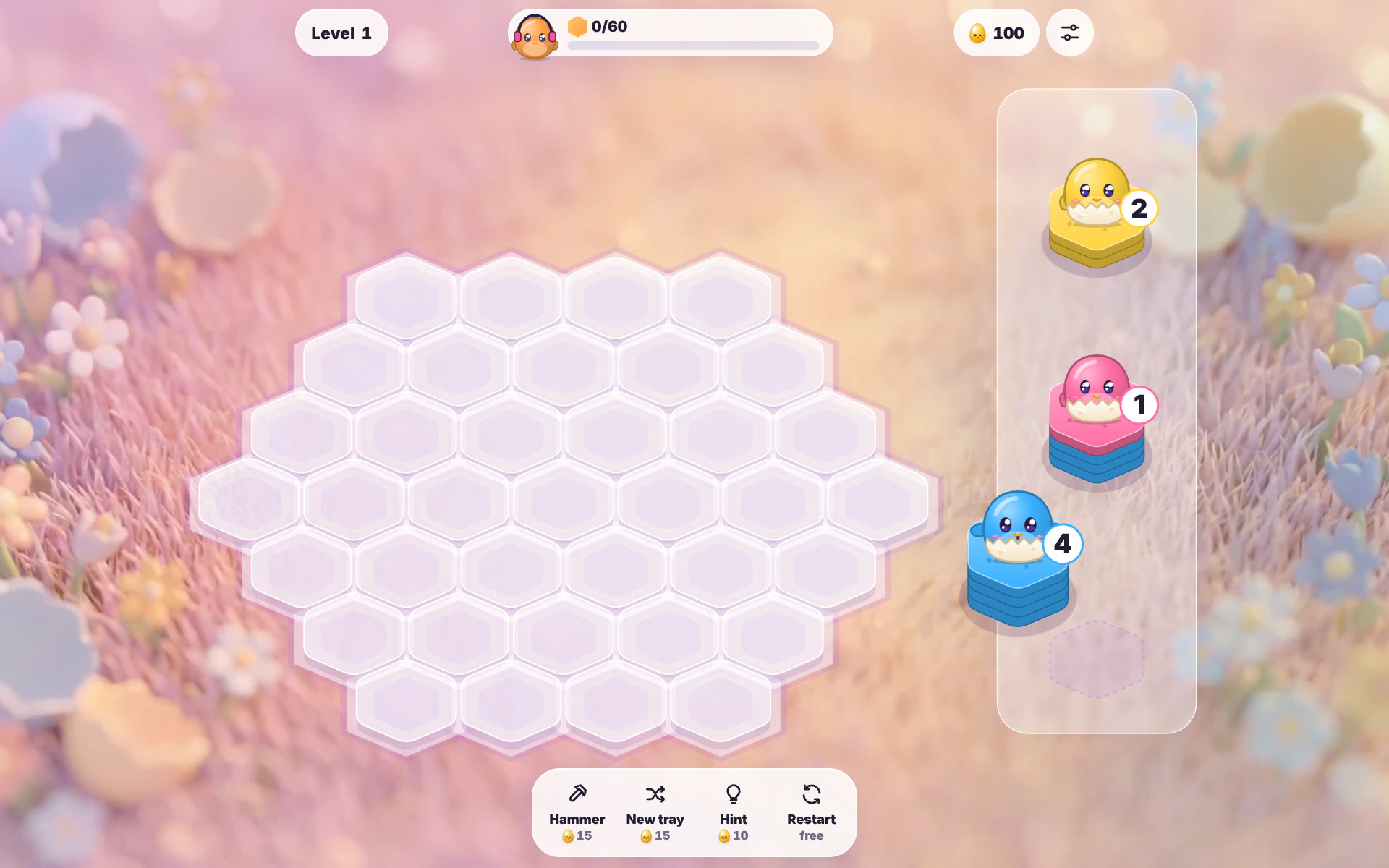
Hexa Nest is a stack-and-match puzzle. A tray offers three stacks of egg-tiles, and you drag one onto an empty cell of a honeycomb; clicking a stack and then a cell works too. If a neighbour has the same top colour, the tiles flow across one by one, and every stack that changes is checked again, so one drop can start a chain. A top group of ten or more tiles hatches into an OvO that hops over to your goal counter. The level ends if no empty cell is left after a move, so keep a cell or two free. Level 1 asks for 60 hatched tiles. From the keyboard, press 1, 2 or 3 to pick a tray stack, move with the arrow keys and press Enter or Space to place it. On a wide screen the tray sits in a column to the right. Hammer, New tray and Hint cost tokens, Restart is free, and there are 200 levels.
Egg Drop: a matching cousin that hatches pairs
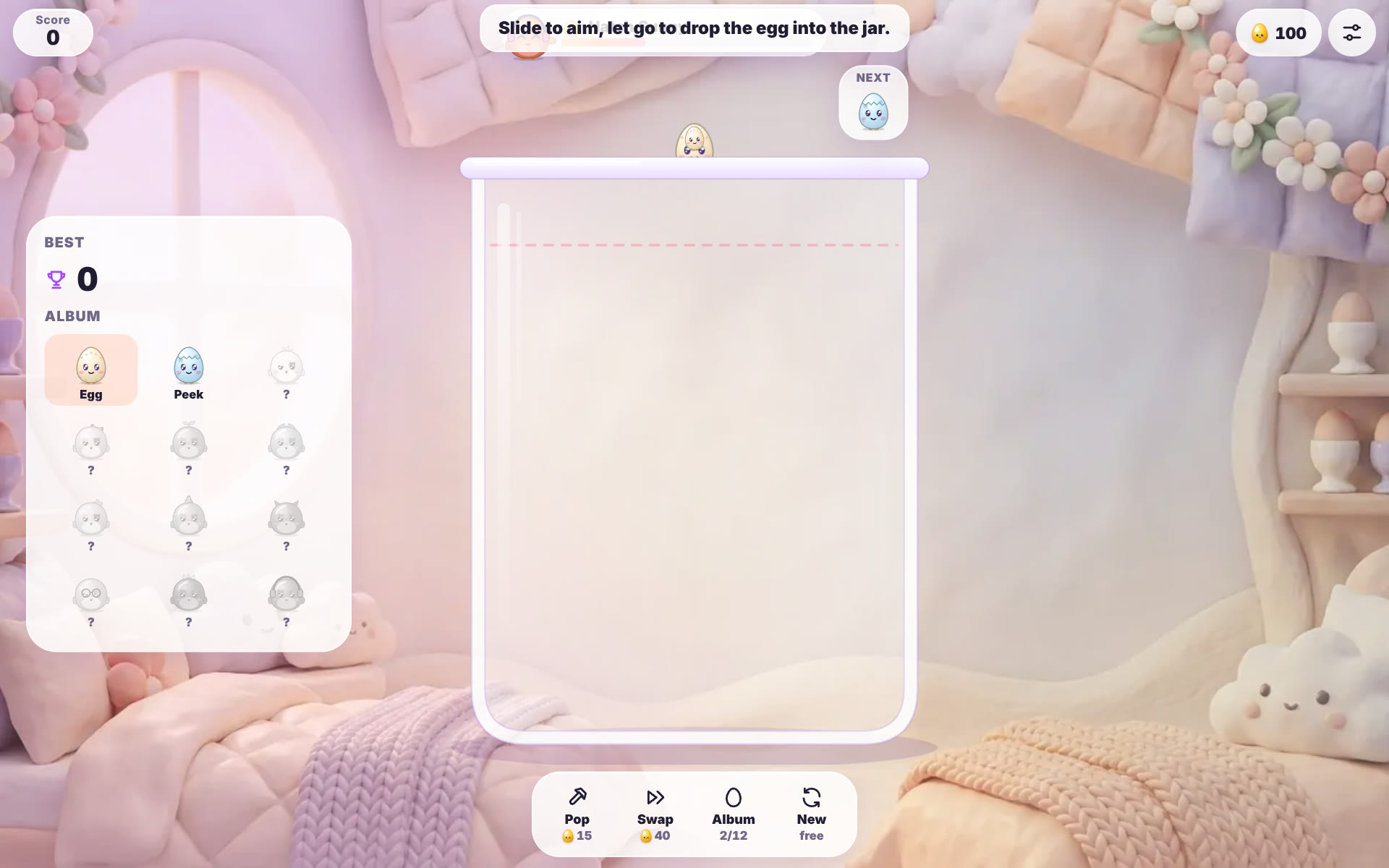
Egg Drop is for the days you want no levels at all. It is an endless score game in a glass jar. Move the mouse to aim the egg above the jar and click to drop it, or aim with the arrow keys and drop with Space, Enter or the down arrow. When two matching OvOs touch, they hatch into the next one in a chain of 12, from a plain Egg up to Cosmo, and quick merges in a row build a chain bonus. A red dashed line runs near the rim: if a resting egg stays above it for two seconds, the run ends. On a wide screen a side panel shows your best score and an album of all 12 OvOs, filling in each one as you hatch it. Pop and Swap cost tokens, and a daily run gives everyone the same queue of eggs.
Is it safe, free and light enough for an older PC?
A browser game avoids the usual risks of free download sites. There is no installer to run, so nothing can slip extra software onto your PC, and you never need an unknown copy of a game. If you do want an app, only use the official links on ovo.games/download. Free here means free to play with ads, not a trial that expires. The first 40 levels of Peep Pop 2, Tile Trio and Hexa Nest are free for everyone, and Egg Drop has no levels to unlock. You earn tokens by winning, so boosters don't need money. No ad interrupts a level or a run; a break ad can come between levels or runs, or when you leave a game, and reward videos only play when you click them. The optional OvO Pass unlocks every level, removes banners and break ads and adds 500 tokens a month. There is no separate system requirement: if your browser runs well, the games will too, and they follow your system setting for reduced motion.
| Game | How you match | Levels | With the mouse | With the keyboard |
|---|---|---|---|---|
| Peep Pop 2 | Swap neighbours to line up 3 or more of a colour | 300, first 40 free | Drag, or click one OvO and then a neighbour | Arrow keys, then Enter or Space |
| Tile Trio | Collect three of a kind in a seven-slot tray | 200, first 40 free | Click a bright tile | Enter or Space on a focused tile |
| Hexa Nest | Same top colours flow together; 10 or more hatch | 200, first 40 free | Drag a stack onto an empty cell, or click stack then cell | 1, 2 or 3 to pick, arrow keys, Enter or Space |
| Egg Drop | Two matching OvOs that touch hatch into the next one | None, an endless score game | Move to aim, click to drop | Arrow keys or A and D to aim, Space, Enter or down arrow to drop |
Watch
Peep Pop 2 gameplay
28 seconds of Peep Pop 2: OvOs are swapped and popped on level 1, a rocket forms, the pink goal is met and level 2 opens with a new goal.
▶ 28 sec
Questions
What are good free match 3 games for PC?
Peep Pop 2 is the classic swap match 3, Tile Trio is a calm triple tile match, Hexa Nest matches colours on a honeycomb and Egg Drop merges matching pairs in a jar. All four play free in a PC browser at ovo.games.
Can I download match 3 games for Windows 10 or 11?
For these games there is nothing to download. Open ovo.games in your browser on Windows 10 or 11 and play; OvO.games has no Windows app.
Are match 3 games free to play?
These are. They are free to play with ads, the first 40 levels of each level game are free for everyone, and the optional OvO Pass unlocks every level.
Which match 3 games work offline?
Offline play is not something we promise for these games, so plan to have an internet connection when you start one.
Is it safe to download free PC games from download sites?
Installers from unknown sites can bundle extra software, which is a good reason to play in the browser instead. If you want the OvO.games app, use only the official links on ovo.games/download.
Are there match 3 games with no ads?
No ad interrupts a level or a run in these games; a break ad can come between levels or runs, or when you leave a game. OvO Pass or the one-time No Ads purchase removes banners and break ads; reward videos stay optional.
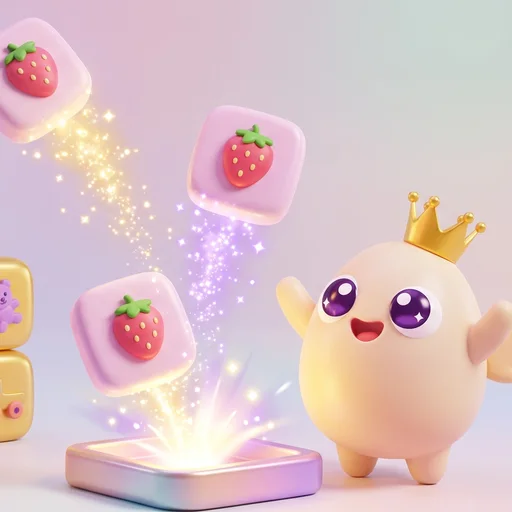 Tile Trio
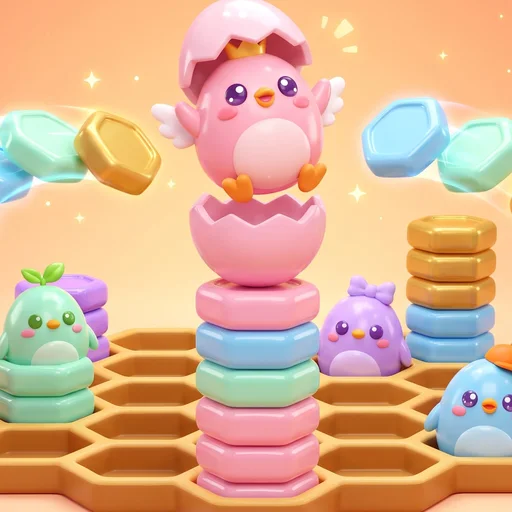 Hexa Nest
 Egg Drop